How to choose a gaming monitor: refresh rate, response time, resolution and HDR labels
The numbers on a gaming monitor box are often confusing: 144 Hz or 240 Hz, does a 1 ms response time really matter, and what does an HDR label actually guarantee? This guide explains what each figure changes on screen and how much it matters for different players.
In short
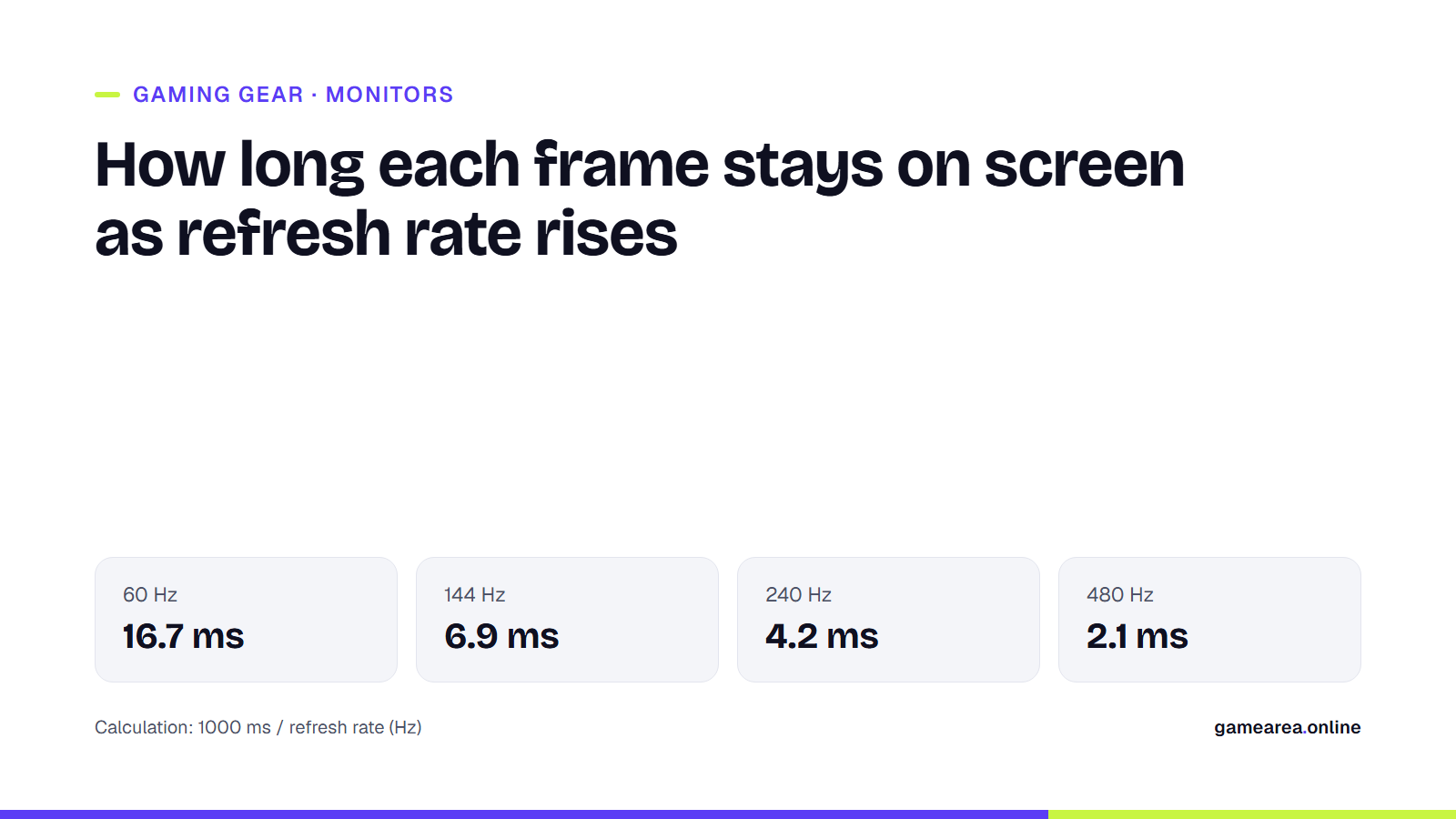
- Refresh rate (Hz) is how many new images the screen can draw per second; at 60 Hz each frame stays 16.7 ms, at 240 Hz 4.2 ms.
- To benefit from a high refresh rate, your graphics card has to produce that many frames.
- Manufacturers measure “ms” in different ways, so the figures are hard to compare; VESA’s ClearMR certification shows motion clarity on a single scale.
- DisplayHDR labels state, in a standard way, the minimum brightness and how dark the blacks get.
What does refresh rate (Hz) change in games?
Refresh rate is how many times per second the monitor draws a new image. How long a frame stays on screen is 1000 milliseconds divided by the refresh rate. The shorter that time, the smoother motion looks and the closer the image is to the game’s actual state.
| Refresh rate | Time each frame stays on screen |
|---|---|
| 60 Hz | 16.7 ms |
| 144 Hz | 6.9 ms |
| 165 Hz | 6.1 ms |
| 240 Hz | 4.2 ms |
| 360 Hz | 2.8 ms |
| 480 Hz | 2.1 ms |
The biggest jump is from 60 Hz to 144 Hz, which more than halves frame time. Beyond 240 Hz the gains shrink to fractions of a millisecond, which matter mostly to high-level players in competitive shooters. Remember: if your graphics card produces 100 frames per second, a 240 Hz monitor cannot show 240 different images in that game. When choosing a monitor, factor in the frame rates your PC or console actually reaches in the games you play.
Response time and motion blur: why “1 ms” is not enough
Response time describes how quickly a pixel changes from one colour to another. The problem is that manufacturers measure it under different conditions and with different methods, so two boxes that both say “1 ms” do not necessarily deliver the same clarity in motion.
To cut through this, the display standards body VESA uses a certification called ClearMR. It is based on the Clear Motion Ratio (CMR), which measures the ratio of clear to blurry pixels in a moving image; the higher the number on the logo, the sharper the motion. In December 2024 VESA added ClearMR 15000, 18000 and 21000 tiers for displays of 480 Hz and above. If a monitor carries a ClearMR logo, you can compare different brands on the same scale.
How to choose resolution and screen size
The higher the resolution, the more pixels your graphics card has to draw each frame. 1920 × 1080 (Full HD) is about 2.1 million pixels, 2560 × 1440 (QHD) about 3.7 million and 3840 × 2160 (4K) about 8.3 million, so 4K needs four times the pixels of Full HD. If high frame rates come first, a lower resolution makes more sense; if image detail comes first, go higher. At the same resolution, pixels get bigger as the screen grows, which is why high resolution makes a more visible difference on large screens.
What do HDR labels mean?
A box that simply says “HDR” does not guarantee the monitor shows HDR content well. VESA’s DisplayHDR certification defines a minimum peak brightness and a maximum black level for each tier. Every tier must support the HDR10 format.
| Tier | Minimum peak brightness | Maximum black level |
|---|---|---|
| DisplayHDR 400 | 400 cd/m² | 0.4 cd/m² |
| DisplayHDR 600 | 600 cd/m² | 0.1 cd/m² |
| DisplayHDR 1000 | 1000 cd/m² | 0.05 cd/m² |
| DisplayHDR 1400 | 1400 cd/m² | 0.02 cd/m² |
| DisplayHDR True Black 400–1400 | 400–1400 cd/m² | 0.0005 cd/m² |
True Black tiers are for self-emissive displays such as OLED; their very low black level makes a clear difference in dark scenes. DisplayHDR 400 is the entry level; if you want HDR to look genuinely impressive, look at higher tiers.
Which monitor for which player?
- Competitive shooters and fast games: a high refresh rate (240 Hz and above) and good motion clarity first; resolution second.
- Story-driven and visually rich games: QHD or 4K, a good HDR tier and a balanced 120–165 Hz.
- Board, card and browser games: a high refresh rate is not required; a sharp screen that is easy on the eyes is enough. You can play these in your browser on GAMEAREA.
Frequently asked questions
Is there a difference between 144 Hz and 240 Hz?
Yes: frame time drops from 6.9 ms to 4.2 ms. But the difference is not as large as going from 60 Hz to 144 Hz, and it is felt most in competitive games.
Do I need a high refresh rate monitor for a console?
Not always; for a high refresh rate, both the game and the console have to support that frame rate. Before buying, check the highest refresh rate your console and games support in their specifications; anything the monitor offers above that goes unused on a console.
What is ClearMR certification for?
It lets you compare motion clarity across brands on the same scale. The higher the number on the logo, the sharper moving images look.
Is DisplayHDR 400 real HDR?
DisplayHDR 400 is the standard’s entry tier. It can show HDR content, but it does not make as striking a difference as higher tiers with more brightness and deeper blacks.
Sources
- VESA — VESA adds new performance levels to ClearMR Official source
- VESA — VESA DisplayHDR performance tiers Official source
How this content was prepared
Prepared with AI assistance from the sources listed, key facts checked against official sources, not copied verbatim. Our AI principles
GAMEAREA Editörlüğü