How to choose a gaming laptop: GPU power (TGP), MUX switch, display and RAM
In a gaming laptop, the name of the graphics card doesn't tell you the performance on its own; the same GPU delivers different results depending on the power limit and the cooling it runs with. This guide explains which lines of the spec sheet to look at, using official data from NVIDIA, AMD, ASUS and Lenovo.
In short
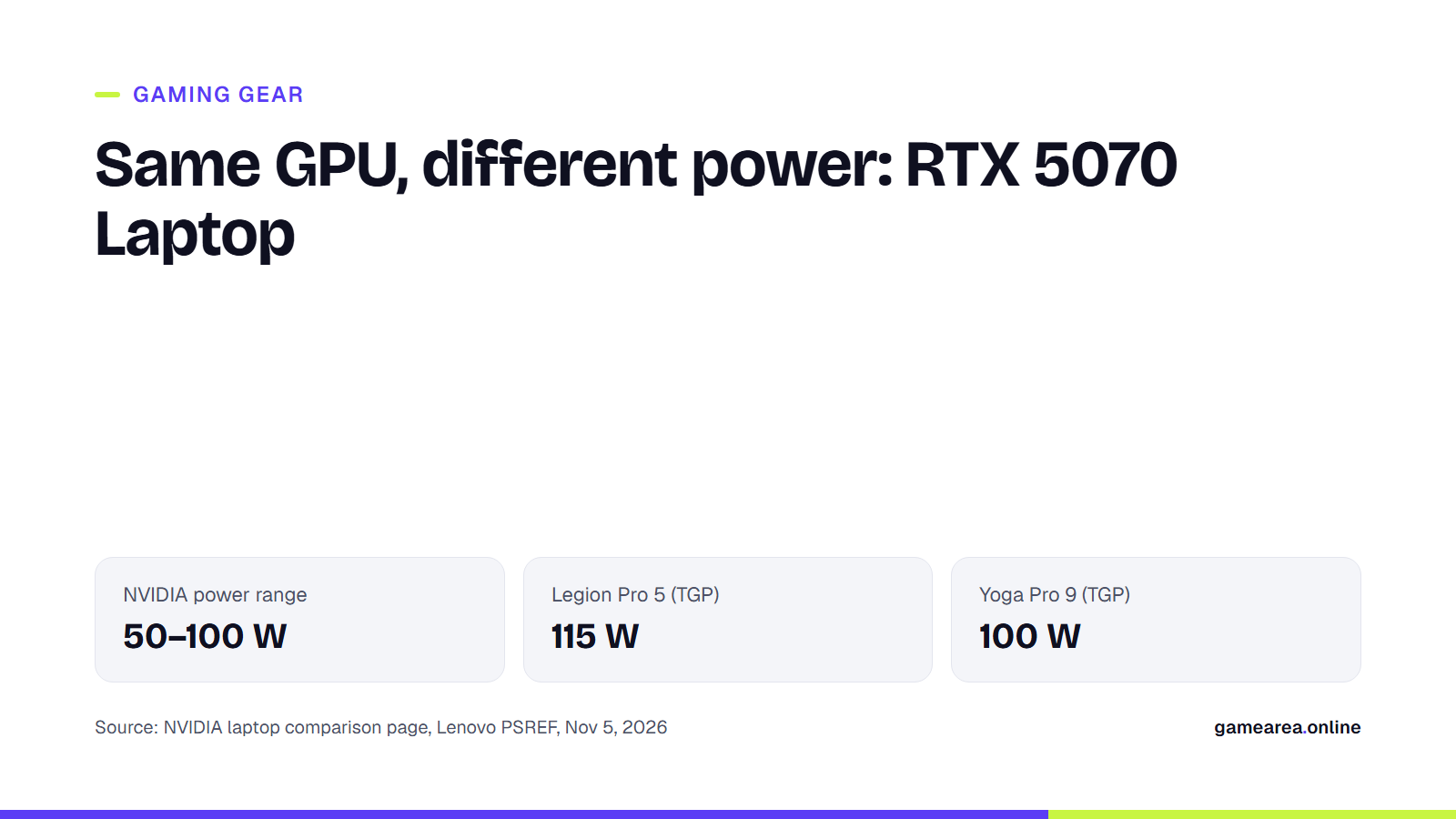
- NVIDIA gives a wide power range for each RTX 50 laptop GPU, for example 50–100 W for the RTX 5070 Laptop. The laptop maker decides which value is used.
- Lenovo lists the same RTX 5070 Laptop GPU with a 115 W TGP in the Legion Pro 5 and 100 W in the Yoga Pro 9.
- A MUX switch or NVIDIA Advanced Optimus lets the graphics card send the image straight to the display.
- The spec sheet tells you whether the RAM is soldered or in slots: the Legion Pro 5 has two SODIMM slots, while the Yoga Pro 9's memory is soldered.
Why does the same graphics card perform differently in different laptops?
In a laptop, the chassis, cooling and power adapter decide how much power the graphics card can draw. That's why NVIDIA publishes not a single value but a "GPU subsystem power" range for its RTX 50 series laptop GPUs: 95–150 W for the RTX 5090, 80–150 W for the RTX 5080, 60–115 W for the RTX 5070 Ti, 50–100 W for the RTX 5070, 45–100 W for the RTX 5060 and 35–100 W for the RTX 5050. The clock ranges are wide too; the RTX 5070 Laptop's boost clock is given as between 1425 and 2347 MHz.
The manufacturer's choice shows up on the spec sheet. According to Lenovo's PSREF pages, the RTX 5070 Laptop comes with a 115 W TGP in the Legion Pro 5 16IAX10 and 100 W in the Yoga Pro 9 16IAH10. The RTX 5060 Laptop gets 115 W in the Legion 5 15AHP10 and 100 W in the LOQ 15AHP10. There is a mismatch here that needs to be stated plainly: Lenovo's 115 W is above the 100 W upper limit NVIDIA gives for the RTX 5070. NVIDIA uses the term "GPU subsystem power" and Lenovo "TGP", and neither page explains how the two measures relate to each other. The practical takeaway doesn't change: between two laptops carrying the same model name, favour the one whose maker allows more power, and if the value isn't on the page, ask the seller.
Check the video memory as well. NVIDIA lists both 8 GB and 12 GB GDDR7 configurations for the RTX 5070 Laptop; Lenovo offers the Legion Pro 5 with either option, while the RTX 5070 in the Yoga Pro 9 has 8 GB.
What do Max-Q, Dynamic Boost and Advanced Optimus mean?
NVIDIA today describes Max-Q not as a type of model but as a package of technologies that manages the GPU, CPU, memory, thermals and display together to balance performance and battery life in thin, quiet devices. One part of the package, Dynamic Boost, automatically shares power between the GPU, GPU memory and CPU according to what the game needs at that moment. Whisper Mode aims to lower noise by managing fan speeds together with temperatures, and Battery Boost aims to balance frame rate against battery drain when you're away from a power outlet. NVIDIA recommends asking the manufacturer which of these technologies a given laptop supports; in other words, they aren't automatically present in every RTX laptop.
Do you really need a MUX switch?
As ASUS explains it, in most gaming laptops the graphics card renders the frame, but before reaching the display that frame passes through the CPU's integrated graphics. This setup is good for battery life because it can shut the discrete GPU off completely for light tasks. A MUX switch is a hardware switch that lets the discrete GPU send frames straight to the display; ASUS says that in its own tests this reduces latency and increases frame rates by 9% on average. Changing the classic MUX mode on ASUS laptops requires a restart.
NVIDIA Advanced Optimus automates this switch: according to ASUS, when a game is launched the laptop routes frames along the most efficient path itself, with no need to change modes manually or restart. NVIDIA also describes Advanced Optimus as a technology that combines long battery life with G-SYNC's tear-free gaming. Look for "MUX", "Advanced Optimus" or "dGPU/Ultimate mode" on the spec sheet; Lenovo lists it among the key features in the display row.
Which display specs should you check?
Unlike a monitor, a laptop screen can't be swapped later, so it has to be the right one from day one. The differences between examples are large: the Legion Pro 5 16IAX10 offers a 2560×1600, 240 Hz, 500-nit IPS panel with G-SYNC and Advanced Optimus support, or a 240 Hz OLED option. The LOQ 15AHP10 comes with 15.6-inch 144 Hz FHD or 165 Hz WQHD IPS panels at 300–350 nits. The OLED panels in the Yoga Pro 9 run at 120 Hz.
For variable refresh rate, look for the G-SYNC label on the NVIDIA side and FreeSync on the AMD side. For FreeSync Premium certification on laptops, AMD requires a refresh rate of at least 120 Hz and low framerate compensation (LFC). We explain what Hz, response time and HDR mean in detail in our gaming monitor guide.
Can you upgrade the RAM and storage later?
This is one of the questions that decides how useful your laptop will still be two years from now. Lenovo PSREF lists "two DDR5 SODIMM slots, dual-channel capable" for the Legion Pro 5 and LOQ 15; the Legion Pro 5 also has two M.2 2280 PCIe 4.0 x4 SSD slots. In the Yoga Pro 9, by contrast, the memory is soldered to the motherboard, there are no slots, and Lenovo marks it as "not upgradable". Dual-channel operation needs both slots filled; if you're buying a configuration that comes with a single module, find that out before you buy.
Weight, battery, cooling and ports
As power goes up, the chassis and the adapter get bigger too. Lenovo lists the Legion Pro 5 16IAX10 at about 2.43 kg with a 245 W adapter, the LOQ 15 at a starting weight of 2.4 kg and the Yoga Pro 9 at a starting weight of 1.92 kg. On the battery side, the Legion Pro 5 has 80 Wh, the Yoga Pro 9 84 Wh and the LOQ 15 60 or 80 Wh.
Cooling and fan noise are the hardest areas to verify: none of the PSREF pages we reviewed include a decibel figure or cooling details. So for noise levels and temperatures, check whether the manufacturer publishes figures separately. For ports, if you'll use an external monitor, look at the HDMI version and whether the USB-C port supports DisplayPort; the Legion Pro 5 has DisplayPort 2.1 over Thunderbolt 4, HDMI 2.1 and RJ-45 for wired networking.
| What to check | Where on the spec sheet? | Official example | Why it matters |
|---|---|---|---|
| GPU power limit | Graphics section, "TGP" column | RTX 5070 Laptop: 115 W in the Legion Pro 5, 100 W in the Yoga Pro 9 | Different performance under the same GPU name |
| Video memory | Graphics section, "Memory" | RTX 5070 Laptop: 8 GB or 12 GB GDDR7 | A limit at high texture settings |
| MUX / Advanced Optimus | Display or graphics features | Advanced Optimus on Legion Pro 5 and LOQ 15 panels | Latency and frame rate |
| Display | Display table | Legion Pro 5: 2560×1600, 240 Hz, G-SYNC | Smoothness and sharpness |
| RAM slots | "Memory Slots" | Legion Pro 5: two SODIMM; Yoga Pro 9: soldered | Upgrading later |
| Battery and weight | "Battery", "Weight" | Legion Pro 5: 80 Wh, ~2.43 kg | Portability |
| Source: NVIDIA RTX 50 series laptop comparison page, Lenovo PSREF spec sheets, Nov 5, 2026. Prices don't appear on these pages. | |||
Frequently asked questions
Where can I find the TGP value?
On the manufacturer's spec sheet. Lenovo PSREF gives the TGP for each GPU in a separate column of the graphics table. If the value isn't on the page, ask the seller or the manufacturer for it in writing; NVIDIA's range alone doesn't tell you the value in your laptop.
Is a laptop without a MUX switch worth buying?
It can be, but if a model offering a MUX or Advanced Optimus is available at the same price, it makes sense to choose that one. ASUS says direct GPU mode delivers the best latency and performance in competitive games.
What's the difference between G-SYNC and FreeSync?
Both are variable refresh technologies that match the display's refresh rate to the graphics card's frame rate. G-SYNC is NVIDIA's certification and FreeSync is AMD's; which one a laptop supports is stated in the display row.
Can I add more RAM later?
It depends on the model. If the spec sheet says "SODIMM slots", yes; if it says "soldered, not upgradable", no. On a laptop with soldered memory, choose the capacity you need from the start.
Sources
- NVIDIA — Compare Gaming Laptops: RTX 50 Series Laptop GPU Official source
- NVIDIA — NVIDIA Max-Q Technologies Official source
- NVIDIA — GeForce RTX 50 Series Laptops Official source
- ASUS ROG — How to maximize your ROG laptop's performance with the MUX Switch Official source
- AMD — AMD FreeSync Technology Official source
- Lenovo — Legion Pro 5 16IAX10 — PSREF Official source
- Lenovo — Yoga Pro 9 16IAH10 — PSREF Official source
- Lenovo — LOQ 15AHP10 — PSREF Official source
- Lenovo — Legion 5 15AHP10 — PSREF Official source
How this content was prepared
Prepared with AI assistance from the sources listed, key facts checked against official sources, not copied verbatim. Our AI principles
GAMEAREA Editörlüğü