How to choose a gaming mouse: DPI, polling rate, sensor and weight
The numbers on gaming mouse boxes get a little bigger every year: 50,000 DPI, 8000 Hz, 36 grams. Some of these values make a real difference in games; others describe a limit most players will never use.
In short
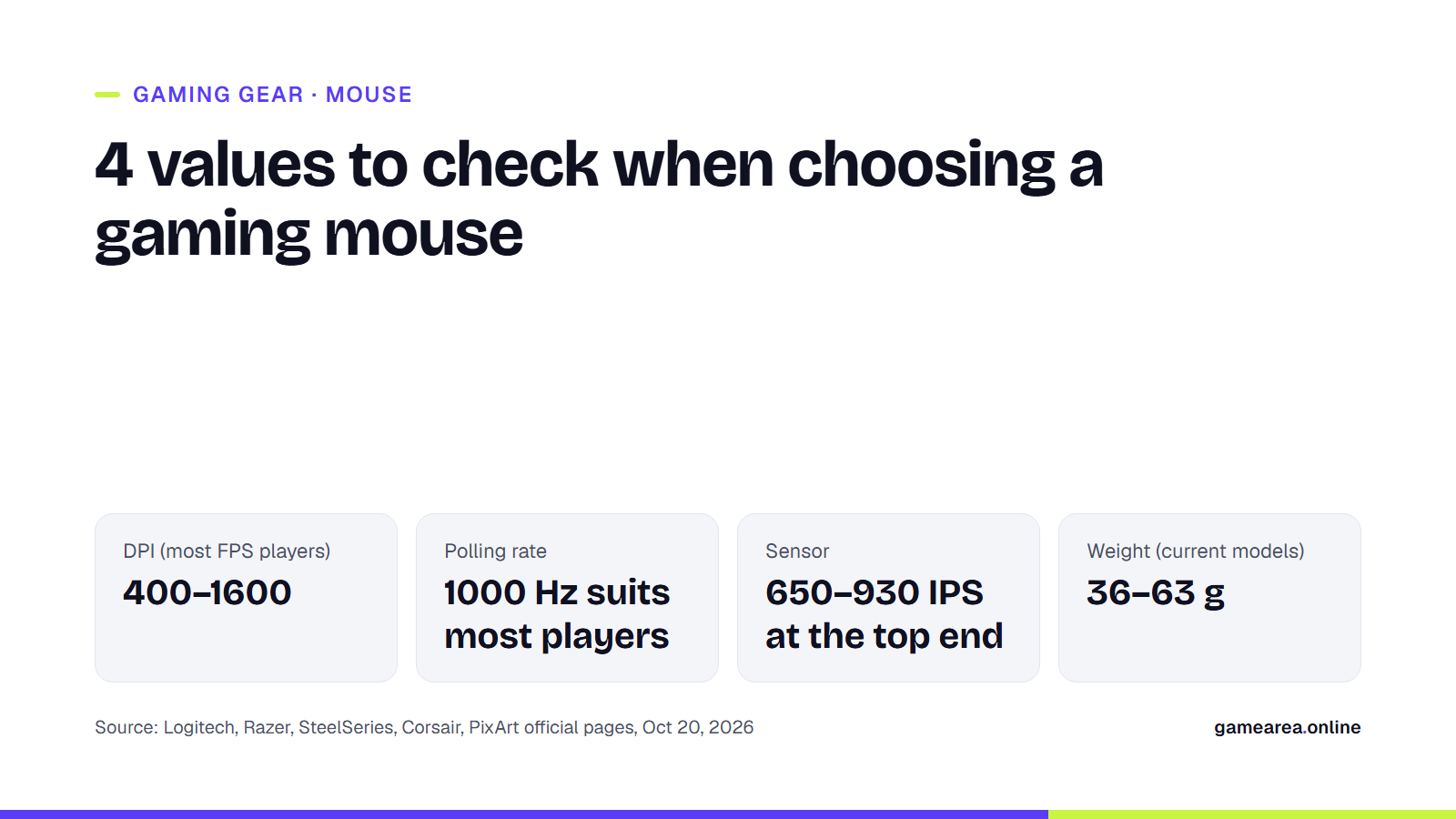
- High DPI on its own doesn't mean better. Competitive FPS players mostly play in the 400–1600 range.
- A 1000 Hz polling rate is enough for most people. 4000–8000 Hz starts to make sense with a powerful CPU and a high-refresh-rate monitor.
- Today's top sensors are very close to each other in their speed and acceleration limits. The real differences come from shape, weight and button quality.
- Pick a shape that suits your hand size and grip first; look at the specs after that.
What is DPI, and is higher DPI better?
DPI (dots per inch), or CPI (counts per inch), indicates how many units of movement the sensor reports to the computer when the mouse moves one inch (2.54 cm). In short, it determines how far the cursor or crosshair travels relative to your hand movement. In practice, the two terms mean the same thing.
Manufacturers themselves say a higher value is not automatically better. SteelSeries states that most players play in the 400–1200 range and that 500–600 are very common values. Razer also writes that FPS players usually choose a sensitivity of 800 DPI or lower. Low DPI means moving your arm and wrist over a wider range to aim, which makes small, precise corrections easier. Ceiling values such as 30,000 or 50,000 DPI show the sensor's capacity; you don't need to play at those values.
A practical starting point: as SteelSeries suggests, start at 800 DPI, adjust your in-game sensitivity, and after a week of play change it in small steps if needed. What really matters is the combined result of DPI and in-game sensitivity.
What is polling rate, and is there a difference between 1000 Hz and 8000 Hz?
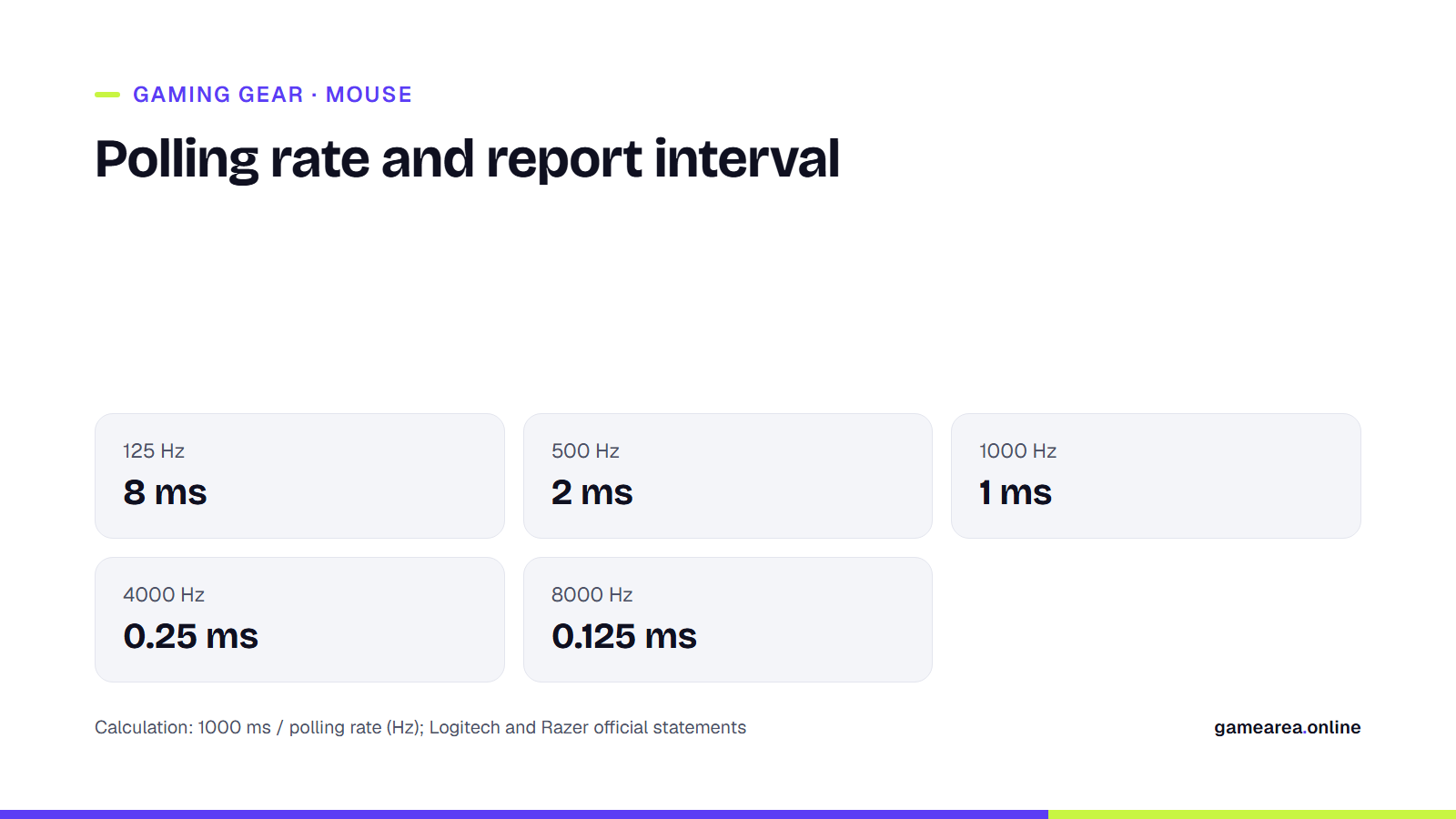
Polling rate (report rate, in Logitech's terminology) is how many times per second the mouse reports its position to the computer. According to Logitech, 125 Hz means a report every 8 milliseconds and 1000 Hz a report every 1 millisecond. 500 Hz therefore corresponds to 2 ms. At 8000 Hz the interval drops to 0.125 ms. Razer and Corsair highlight the drop from 1 ms to 0.125 ms on their mice that offer this mode.
A high polling rate does come at a cost, though. Logitech states plainly that CPU usage and battery drain increase as the report rate rises, and that the extra USB traffic above 1 kHz can cause FPS drops on some systems. Razer likewise says that when the CPU is the bottleneck, the computer may not have the resources to process 8000 reports per second, and recommends dropping to 4000 or 2000 Hz in such cases. Some older game engines can also have trouble with values this high. The manufacturer's advice is to plug the receiver directly into a USB port on the motherboard and keep it within about 30 cm of the mouse.
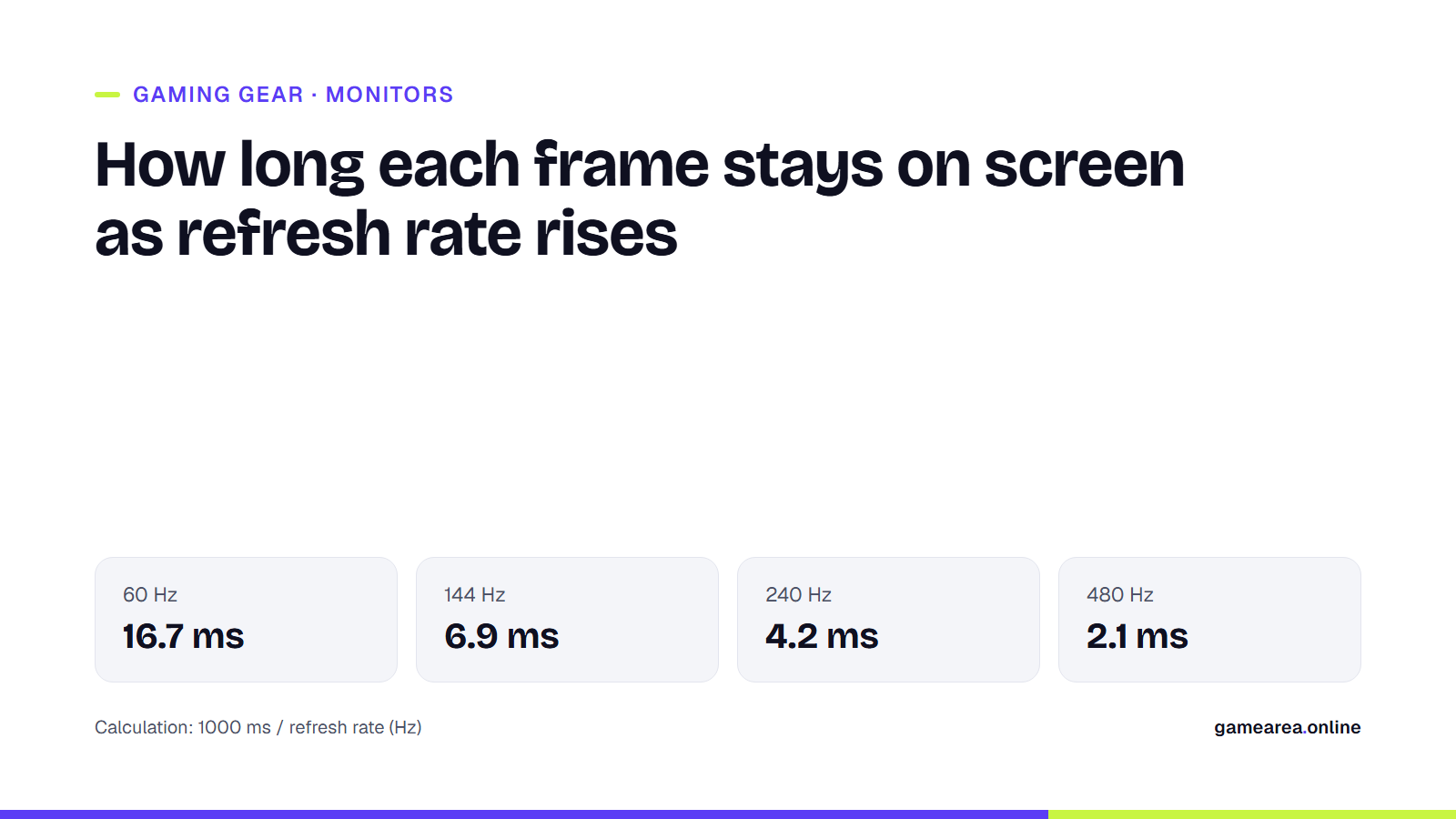
Short answer: 1000 Hz is a sufficient, trouble-free value for most players. 4000–8000 Hz is worth trying if you play competitively on a high-refresh-rate monitor with a powerful CPU. If your monitor's refresh rate is low, you will hardly feel the difference. We cover this separately in our gaming monitor guide.
What do IPS, acceleration and lift-off distance tell you when choosing a sensor?
On sensor spec pages you will see three more values besides DPI:
- IPS (inches per second): The highest movement speed the sensor can measure without losing tracking. The quoted figures are over 888 IPS for the Logitech HERO 2, 900 IPS for the Razer Focus Pro 45K and 650 IPS for the PixArt PAW3395.
- Acceleration (G): The highest acceleration the sensor can track. In the same order: over 88 G, 85 G and 50 G.
- Lift-off distance: The height at which the sensor stops tracking when you lift the mouse off the desk. A low distance keeps the cursor from drifting while you reposition the mouse. On the PixArt PAW3395 you can choose 1 or 2 mm; Razer and Logitech let you adjust it in software.
All of these are figures published by the manufacturers themselves. Still, the practical conclusion is this: it is not realistic for a person to move their arm at 650 IPS (about 16 meters per second). Today's mid-range and high-end optical sensors are all comfortably above that limit. As a result, the sensor is no longer the main criterion that separates a good mouse from a bad one. What matters more is that the sensor passes on raw movement without adding smoothing or acceleration. Logitech states this explicitly for the HERO 2.
Is a lighter mouse always better?
In recent years, wireless competitive mice have become noticeably lighter. A light mouse takes less force to accelerate and stop, and your wrist tires less over long sessions. Still, lightness is not a goal in itself. Some players prefer slightly heavier mice, saying the movement feels more controlled. This is entirely a matter of personal preference.
Some current examples from the manufacturers' official pages:
| Model | Weight | Max polling rate | Sensor |
|---|---|---|---|
| Corsair SABRE v2 PRO Ultralight | 36 g | 8000 Hz | MARKSMAN S, 750 IPS |
| Razer DeathAdder V4 Pro | 56 g (black) | 8000 Hz | Focus Pro 45K, 900 IPS |
| Logitech G PRO X Superlight 2 | 60 g | 8000 Hz | HERO 2, 888+ IPS |
| Razer DeathAdder V3 Pro | 63 g (black) | 8000 Hz (with separate receiver) | Focus Pro 30K, 750 IPS |
| Source: Corsair, Razer and Logitech G official product pages, October 20, 2026. Weights exclude cable and receiver. | |||
As the table shows, all of these models support 8000 Hz and their sensors are close. The real difference is the shape. The DeathAdder has an ergonomic body shaped for the right hand, while the Superlight 2 and SABRE have symmetrical bodies with two identical sides. On the battery side, 8000 Hz has a big impact: Razer quotes 150 hours of battery life at 1000 Hz and 22 hours at 8000 Hz for the DeathAdder V4 Pro.
Does a wireless mouse add lag in games?
Bluetooth is still not ideal for gaming, but the USB-receiver connections used by gaming mice are now in a different class. Logitech's LIGHTSPEED and Razer's HyperSpeed are proprietary wireless technologies of this kind. Logitech says LIGHTSPEED constantly monitors interference and switches to a cleaner channel, and that it is faster and more stable than Bluetooth. Razer, in its own lab measurements, puts average click latency on an 8000 Hz wireless connection below 0.3 ms. These are manufacturer measurements, not independent tests. Even so, it is fair to say wireless is no longer an obstacle in competitive play. The thing to watch is the battery: as the polling rate rises, battery life drops noticeably.
Optical or mechanical switches?
In mechanical switches, a click is detected when two metal contacts meet. Over time these contacts can wear, causing the "double-click" problem, where a single click is registered twice. In optical switches, a click is detected when an obstruction in front of an infrared beam is removed. Razer says that because there is no physical contact, this design eliminates the debounce delay used to filter out signal bounce, along with unwanted double clicks. Logitech's LIGHTFORCE switches use a hybrid design that combines both approaches. Whichever you choose, Logitech's guide recommends looking for a lifespan of at least 20 million clicks. Current high-end models are rated at 70–100 million.
What should you check before buying?
- Shape and size: Does it suit your palm, claw or fingertip grip and your hand size? If possible, try it in your hand at a store.
- Weight: The current competitive models above range from 36 to 63 g. If you want a more controlled feel, try a slightly heavier model too.
- Connection: Wireless with a USB receiver, or wired. Don't make Bluetooth your primary connection for gaming.
- Polling rate: 1000 Hz is a must; 8000 Hz is optional.
- Software: Can you easily adjust DPI, polling rate and lift-off distance?
If you want to test your reflexes with your new mouse, take a look at our article on reaction time and reflex games.
Frequently asked questions
What DPI should I use for gaming?
800 DPI is a good starting point. Competitive FPS players mostly play in the 400–1600 range; what really matters is the combined result of DPI and in-game sensitivity.
Will an 8000 Hz polling rate lower my FPS?
It can on some systems. Logitech and Razer say FPS drops can occur when the CPU can't keep up, and recommend dropping to 1000–4000 Hz in that case.
Is a wireless gaming mouse as fast as a wired one?
With USB-receiver gaming mice, the difference is under a millisecond, according to manufacturer measurements. Bluetooth, however, is a slower option for gaming.
Does a mouse sensor's DPI ceiling matter?
Not really. The difference between 30,000 and 50,000 DPI is practically unnoticeable for a player in the 400–1600 range. Prioritize shape, weight and button quality.
Sources
- Logitech — What Is Polling Rate on a Mouse Official source
- Logitech Support — Using a higher report rate sometimes causes FPS drops while gaming Official source
- Razer — Razer HyperPolling Wireless Gaming Technology Official source
- Razer — Razer Focus Pro Optical Sensor Official source
- SteelSeries — CPI vs DPI Mouse Meaning Official source
- SteelSeries — Best DPI for Gaming: Settings & Equipment Official source
- PixArt Imaging — PAW3395DM-T6QU Optical Gaming Mouse Chip Official source
- Logitech G — PRO X SUPERLIGHT 2 Wireless Gaming Mouse Official source
- Razer — Razer DeathAdder V4 Pro Official source
- Razer — Razer DeathAdder V3 Pro Official source
- CORSAIR — SABRE v2 PRO ULTRALIGHT WIRELESS Gaming Mouse Official source
- Logitech G — LIGHTSPEED Wireless Technology for Gaming Official source
- Razer — Razer Optical Mouse Switches Gen-4 Official source
- Logitech G — Gaming Mouse Guide: DPI, Sensors & Buying Tips Official source
How this content was prepared
Prepared with AI assistance from the sources listed, key facts checked against official sources, not copied verbatim. Our AI principles
GAMEAREA Editörlüğü