How to choose a gaming keyboard: mechanical vs Hall effect, rapid trigger and polling rate
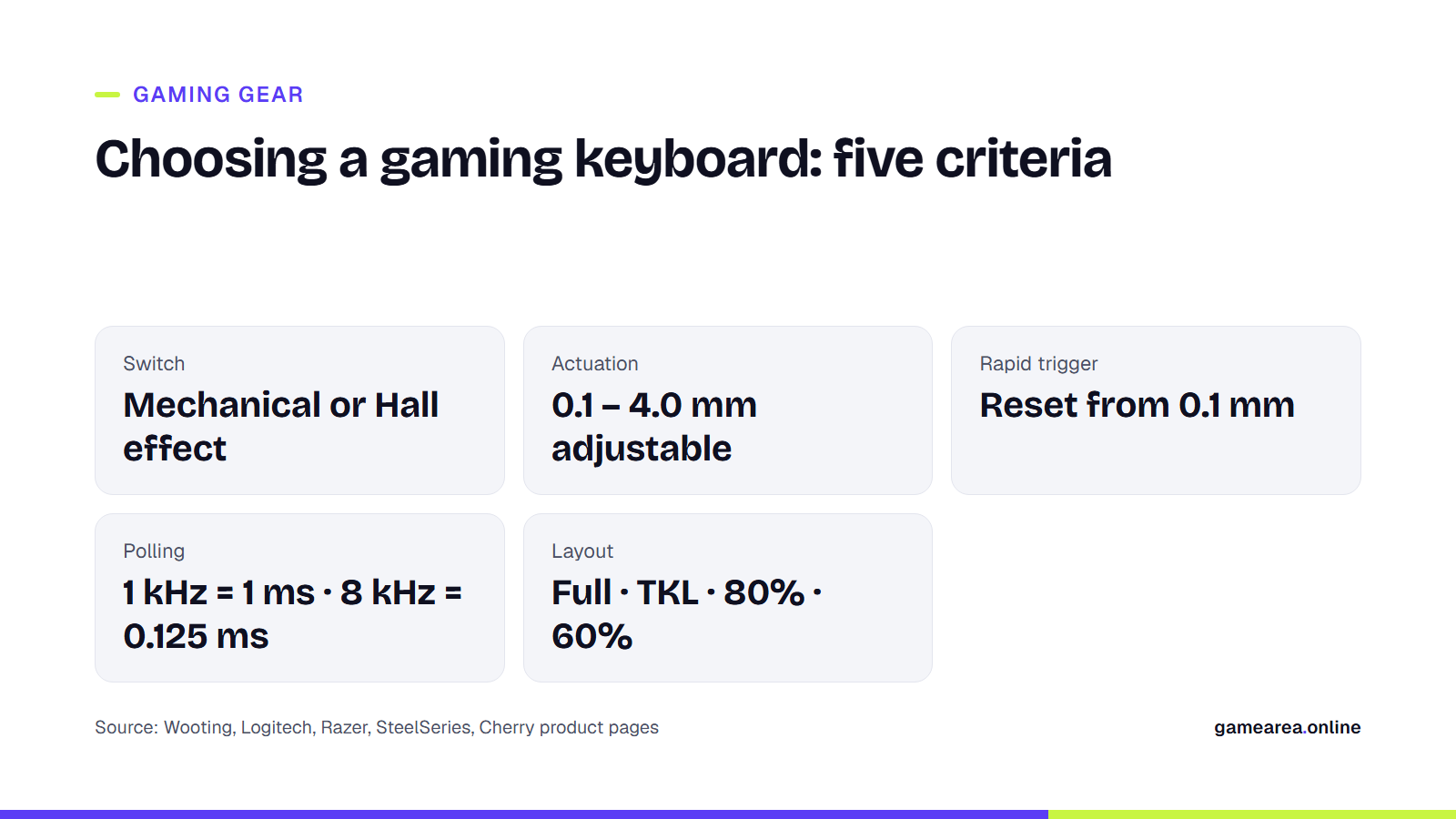
The biggest change in gaming keyboards over the last two years happened inside the switch: classic mechanical switches are giving way to Hall effect and analog optical switches whose actuation point you can set with 0.1 mm precision. This guide explains the real difference between mechanical and magnetic switches, what rapid trigger actually speeds up, how much 8 kHz polling matters and how to pick a size, using the manufacturers' own technical data.
In short
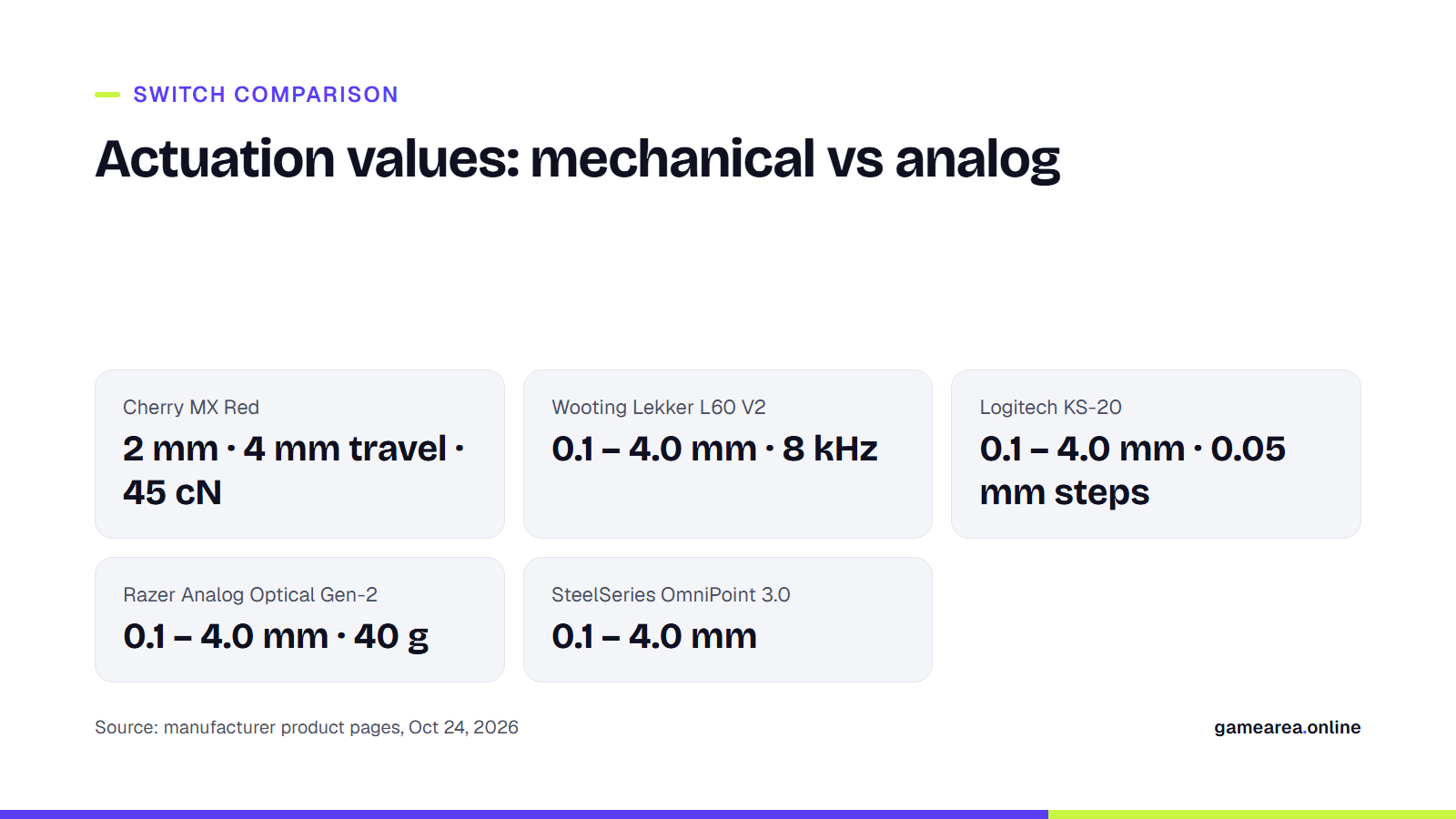
- A classic mechanical switch actuates at a fixed point: Cherry MX Red has 2 mm pre-travel, 4 mm total travel and 45 cN of force.
- Hall effect and analog optical switches let you set the actuation point anywhere between 0.1 and 4.0 mm; rapid trigger resets the key the instant it moves upward.
- 8 kHz polling means 8,000 reports per second to the PC; the theoretical latency drops from 1 ms at 1 kHz to 0.125 ms.
- Size sets your desk layout, not performance: TKL and 80% layouts free up mouse space at the cost of the numpad.
What is the difference between a mechanical and a Hall effect switch?
In a mechanical switch the key registers at a fixed depth where the metal leaves inside the housing touch. For Cherry's reference model, the MX Red, the manufacturer's figures are 2 mm pre-travel (actuation), 4 mm total travel, 45 cN actuation force, a linear characteristic and a lifespan of over 100 million keystrokes. You cannot move that point; if you want a "faster" switch, you buy a model with shorter pre-travel.
A Hall effect (magnetic) switch has no contact: a sensor reads the position of a magnet inside the key, so the keyboard always knows how far down the key is. The actuation point is set in software; Wooting's Lekker, SteelSeries' OmniPoint 3.0 and Logitech's KS-20 switches all work on this principle. Razer's Analog Optical Gen-2 switch in the Huntsman V3 Pro uses light instead of a magnet, but the result is the same: actuation adjustable between 0.1 and 4.0 mm. Logitech's PRO X2 RAPID offers that range in 0.05 mm steps. The practical difference: on the same board you can set WASD to a hair-trigger 0.5 mm and the keys you type on to a forgiving 2 mm.
What does rapid trigger do?
On a classic switch, a key must first rise above a fixed reset point before it can be pressed again. Rapid trigger removes that fixed point: the key counts as released the moment it starts moving up and as pressed the moment it moves down. Wooting introduced the feature in 2019 on the Wooting Two Lekker Edition and says it can now be set as sensitive as 0.1 mm; Razer states that reset on the Huntsman V3 Pro begins at 0.1 mm.
The gain shows most in games that demand "stopping": cutting movement instantly while aiming, counter-strafing in an FPS, or hitting the same key in quick succession in a rhythm game. Nothing changes when you type. Razer notes the feature ships disabled in the factory profile, so you have to turn it on. Likewise, SOCD features sold as Snap Tap or Key Priority, where the last-pressed of two opposing keys wins, can be restricted in some competitive games; check that game's rules before a tournament.
Does 8 kHz polling really make a difference?
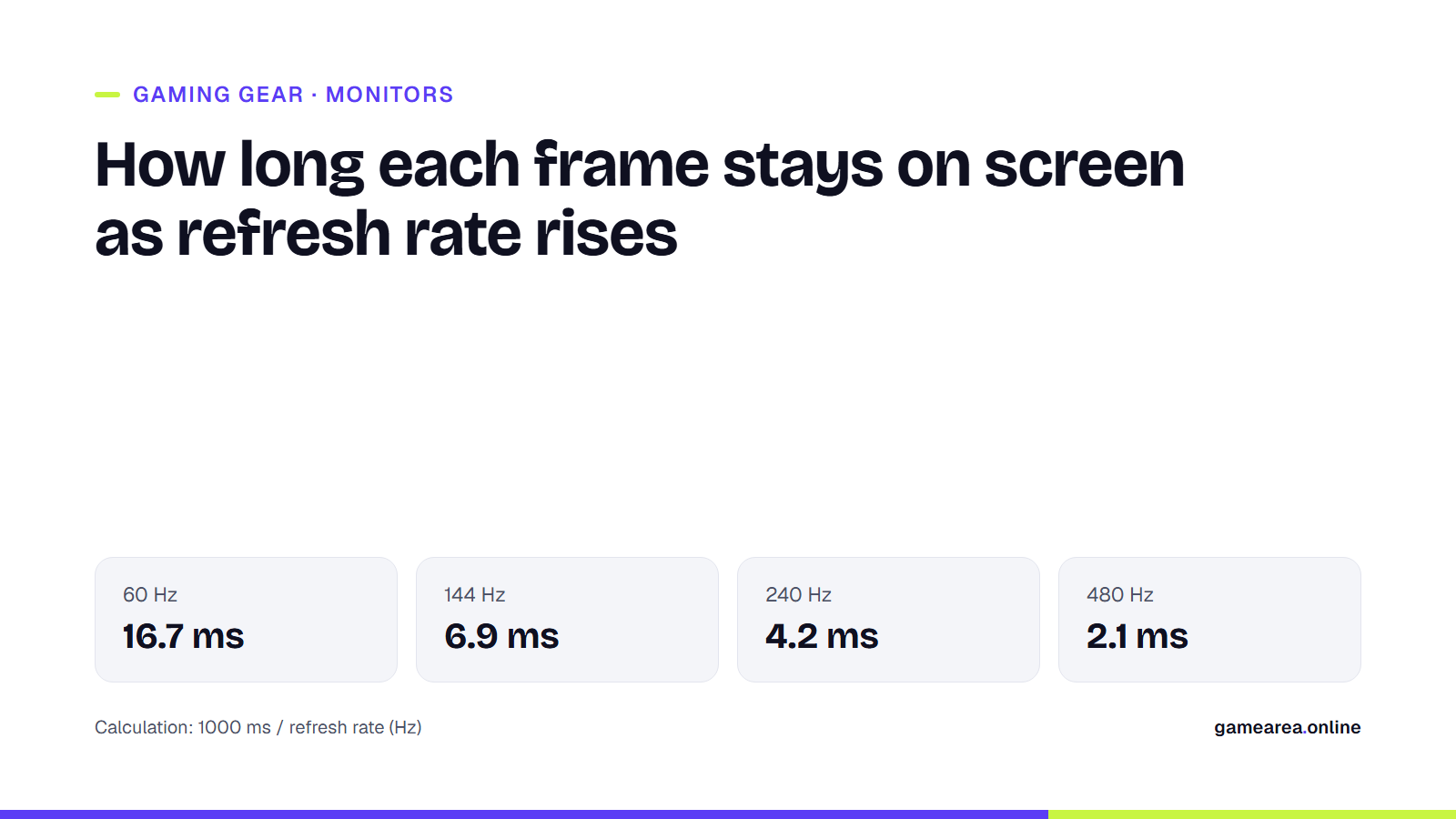
Polling rate is how many times per second the keyboard reports to the PC. At 1 kHz the interval is 1 ms, at 8 kHz it is 0.125 ms, so the difference is at most 0.875 ms in theory. Boards such as the Wooting 80HE and the Logitech PRO X2 RAPID use the phrase "true 8 kHz" for both the USB report and the key scan, because some keyboards report at 8 kHz over USB while scanning the keys less often. That sub-millisecond gain is small next to the 16.7 ms frame time of a 60 Hz monitor; it is meaningful if you play competitively on a 240 Hz or faster display, and a bottom-of-the-list criterion otherwise.
Which size: full-size, TKL, 80% or 60%?
A full-size keyboard carries every key including the numpad and takes up the most room. TKL (tenkeyless) drops the numpad; it is the layout SteelSeries calls "esports-ready", because it frees up space for the mouse. An 80% layout is close to TKL but packs the keys tighter; 75% keeps the function row and squeezes the arrow keys; 60% moves the arrow keys and the F row entirely onto layers. If you use the numpad every day, go full-size or add a separate numpad; if you do not, TKL is the choice that asks for the fewest compromises.
| Model | Switch | Actuation range | Polling | Layout | Manufacturer price |
|---|---|---|---|---|---|
| Wooting 80HE | Lekker L60 V2, Hall effect | 0.1 – 4.0 mm | 8 kHz (true) | 80%, wired | €219.99 / $199.99 |
| Logitech G PRO X2 RAPID | KS-20 magnetic analog | 0.1 – 4.0 mm, 0.05 mm steps | 8 kHz | TKL, wired | €229.99 |
| Razer Huntsman V3 Pro | Analog Optical Gen-2 | 0.1 – 4.0 mm | Not stated (TKL and Mini: 8 kHz) | Full, TKL, Mini | Not stated |
| SteelSeries Apex Pro TKL Gen 3 | OmniPoint 3.0, Hall effect | 0.1 – 4.0 mm | Not stated | TKL and full | Not stated |
| Source: manufacturers' product pages, October 24, 2026. Prices are manufacturer list prices, not local retail prices. | |||||
Wired or wireless, and which extras matter?
Of the four models in the table, Wooting and Logitech are wired only; none in this list combines 8 kHz scanning with a wireless link. Wireless boards are convenient for general use, but for competitive play the manufacturers themselves push the wired connection. The most useful extra is changing profiles from a screen or shortcut on the keyboard: Logitech's OLED adjusts actuation and rapid trigger without opening software, and Razer toggles Snap Tap with FN + Left Shift. RGB and a wrist rest are a matter of taste; switch lifespan (100 million keystrokes for both Cherry MX and Razer Gen-2) is no longer a deciding difference between brands.
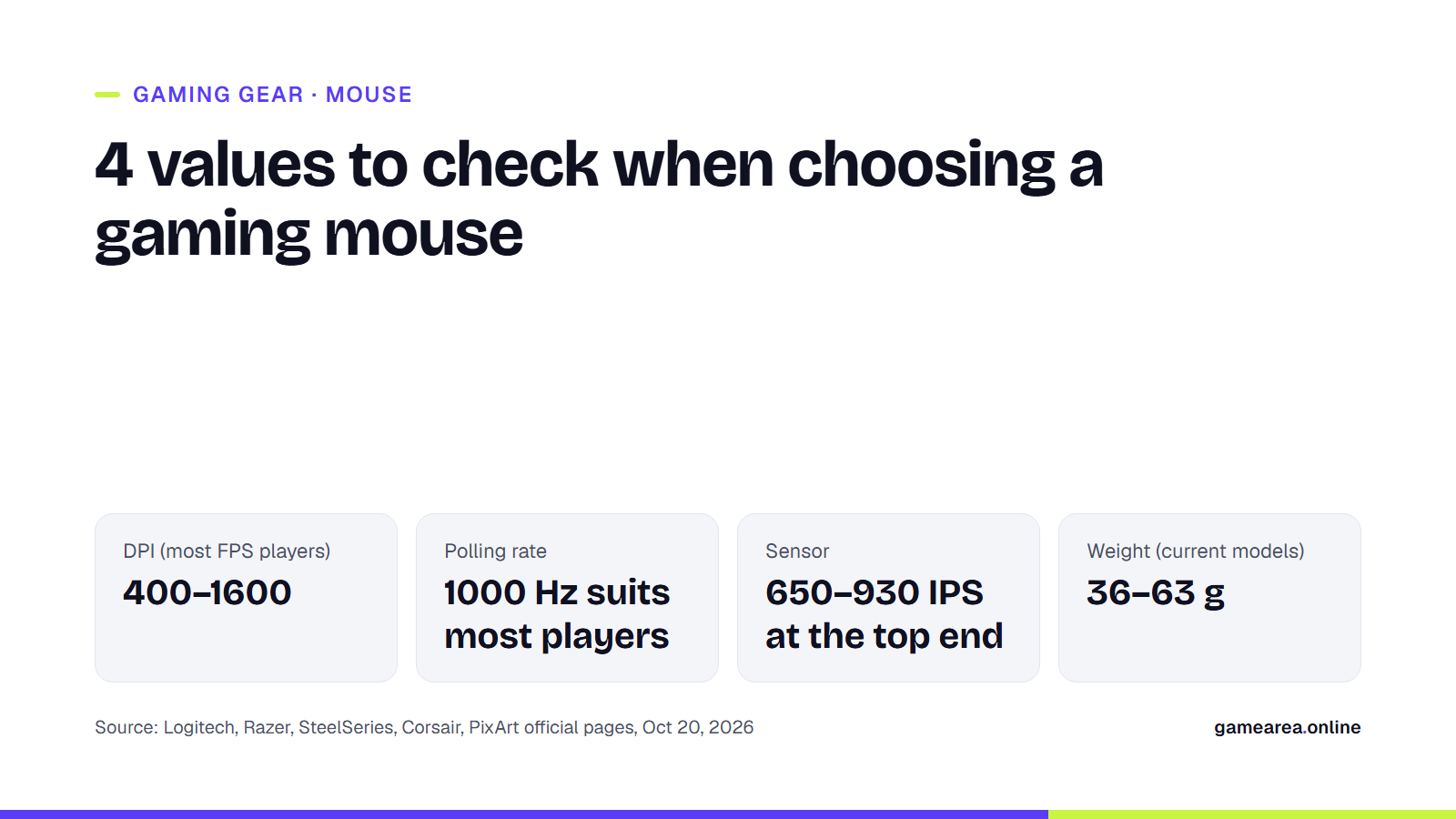
For the other two parts of the setup, our gaming mouse guide covers sensor and weight, and our gaming monitor guide covers refresh rate and response time with the same method.
Frequently asked questions
Is a Hall effect keyboard better than a mechanical one?
If you want adjustable actuation and rapid trigger, yes; those features are impossible on a mechanical switch with a fixed contact point. For typing and general use the difference is not noticeable.
Which games benefit from rapid trigger?
Games where stopping instantly or tapping the same key rapidly matters: counter-strafing in FPS titles, rhythm and fighting games.
Do I need 8 kHz polling?
No. The theoretical difference between 1 kHz and 8 kHz is at most 0.875 ms; unless you play competitively on a high-refresh monitor it is not a priority.
What does TKL mean?
Tenkeyless: a keyboard without a numpad. It leaves more room for the mouse and is one of the layouts competitive players pick most often.
Are these local retail prices?
No. The table shows the euro and dollar list prices from the manufacturers' own sites; retail prices in your country differ with tax and exchange rates.
Sources
- Wooting — Rapid Trigger Official source
- Wooting — Wooting 80HE Official source
- Logitech G — PRO X2 RAPID kabelgebundene Gaming-Tastatur Official source
- Razer — Razer Huntsman V3 Pro Official source
- SteelSeries — Apex Pro TKL Gen 3 Official source
- Cherry — CHERRY MX2A RED Official source
How this content was prepared
Prepared with AI assistance from the sources listed, key facts checked against official sources, not copied verbatim. Our AI principles
GAMEAREA Editörlüğü