How to choose RAM for gaming: DDR5, capacity, MHz/CL, XMP and EXPO
When you choose RAM for gaming, you look at three things: capacity, the generation your motherboard supports (DDR4 or DDR5), and the true latency that speed and timings produce together. The big MHz number on the box says nothing on its own; this guide uses information published by JEDEC, Intel, AMD and Crucial to explain what you should be looking at.
In short
- The motherboard picks the generation, not you: DDR4 and DDR5 modules do not fit each other's slots. AMD's AM5 platform uses DDR5 only.
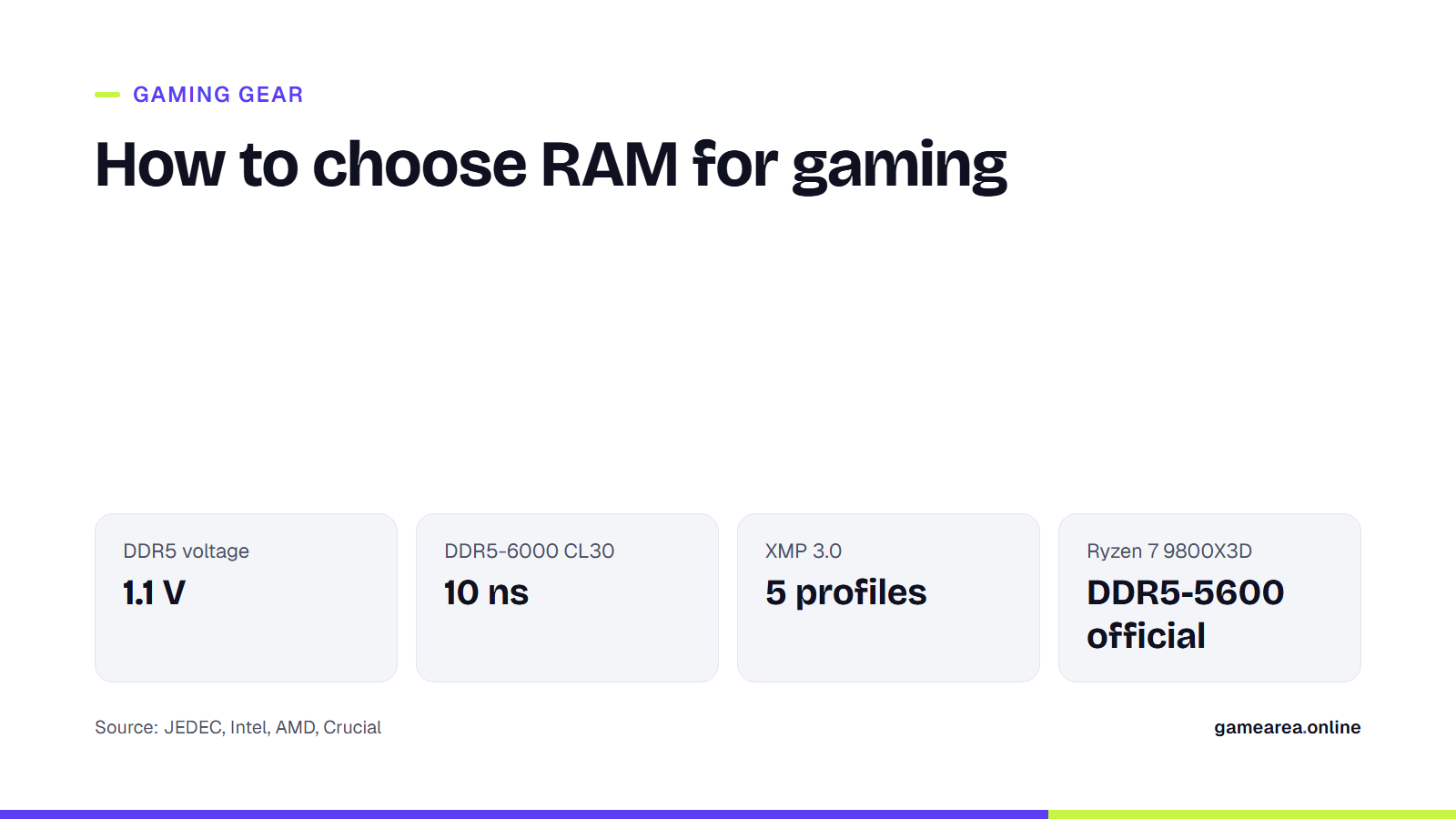
- True latency is measured in nanoseconds: multiply the CL value by 2000 and divide by the speed. DDR5-6000 CL30 and DDR4-3200 CL16 give the same result: 10 ns.
- The speed on the box does not apply until you enable the XMP (Intel) or EXPO (AMD) profile in the BIOS; on first boot, memory starts at JEDEC default settings.
- Buy a two-module kit. A single module cannot use dual channel.
How much RAM do you need for gaming?
Capacity comes before everything else, because when memory runs out the system starts writing to disk, and even the fastest module cannot prevent stutter. For a new gaming PC today, the practical choice is a two-module 32 GB kit (2×16 GB): it leaves headroom with a browser, voice chat and recording software open alongside the game. 16 GB (2×8 GB) still runs most games but cannot carry many apps in the background. These are not rules, just starting points that depend on budget; the recommended system requirements on the store page of the game you play are always a more precise measure.
64 GB and above makes sense not for gaming but for work such as video editing, heavily modded simulations or virtual machines.
Should you buy DDR4 or DDR5?
Your motherboard answers this question. The notch on DDR4 and DDR5 modules is in a different place, and they do not seat in each other's slots. If you are building a new system, the choice has largely been made: AMD's EXPO page defines the technology for Socket AM5 and DDR5, and there is no DDR4 option on that platform.
The DDR5 standard that JEDEC published in 2020 brought several structural changes. Operating voltage dropped from 1.2 volts to 1.1 volts. The voltage regulator moved from the motherboard onto the module. Each module was split into two independent subchannels, and on-die error correction (on-die ECC) was added. The standard launched at 4800 Mb/s; JEDEC describes that as 50 percent higher than 3200, the final speed DDR4 reached.
If you have a working DDR4 system, there is no need to change platform for memory alone. Moving to DDR5 makes sense together with a CPU and motherboard upgrade.
Which matters more, MHz or CL?
You read the two together, not separately. Speed (the 6000 in DDR5-6000) shows how many data transfers the memory makes per second, while CL shows how many clock cycles pass between a command and the data being ready. Crucial puts it as a formula: latency (ns) = clock cycle time (ns) × number of clock cycles. As speed rises, each cycle gets shorter; that is why a high CL value does not always mean slow memory.
The practical calculation: CL × 2000 ÷ speed. For commonly sold kits, the result looks like this:
| Kit | Clock cycle | CL | True latency |
|---|---|---|---|
| DDR4-3200 CL16 | 0.625 ns | 16 | 10.0 ns |
| DDR5-4800 CL40 | 0.417 ns | 40 | 16.7 ns |
| DDR5-5600 CL36 | 0.357 ns | 36 | 12.9 ns |
| DDR5-6000 CL36 | 0.333 ns | 36 | 12.0 ns |
| DDR5-6000 CL30 | 0.333 ns | 30 | 10.0 ns |
| DDR5-6400 CL32 | 0.313 ns | 32 | 10.0 ns |
| Calculation: by GAMEAREA, using the formula published by Crucial (latency = cycle time × CL). | |||
Two conclusions follow from the table. Of two kits at the same speed, the one with the lower CL responds faster: DDR5-6000 CL30 is 2 ns ahead of CL36. Of two kits with equal latency, the one with the higher speed moves more data; Crucial also notes that when latency is the same, the higher-speed module performs better. So DDR5-6000 CL30 and DDR4-3200 CL16 respond in the same time, but the DDR5 kit transfers almost twice as much data in that time.
What are XMP and EXPO, and why should you enable them?
Memory does not run at the speed printed on the box the first time you switch the PC on. According to Intel, the system starts at JEDEC default settings on first boot; the XMP profile is applied on later boots once it has been selected in the BIOS. Someone who doesn't enable the profile may have bought a 6000 kit and be running it at a much lower speed.
- Intel XMP: Applies, with a single selection, combinations of speed, timings and voltage that the manufacturer has tested for stability. XMP 3.0, designed for DDR5, can hold five profiles: three from the manufacturer and two the user can rewrite.
- AMD EXPO: The profile standard AMD developed for Ryzen processors on Socket AM5 and DDR5, which does the same job.
Make one choice knowingly: CPU makers publish the speed they officially support separately. AMD's Ryzen 7 9800X3D page lists the maximum memory speed as DDR5-5600. Profiles above that are overclocking settings tested by the memory maker; they run without trouble on most systems, but stability depends on your motherboard, BIOS version and processor. Checking the motherboard maker's qualified vendor list (QVL) before you buy a kit is the cheapest insurance there is.
One module, two modules or four?
Two modules. Most desktop processors work with two memory channels, and you need at least two modules to use both. A single 32 GB module gives the same capacity as a 2×16 GB kit but halves the path the data travels on; you feel this most in CPU-heavy games and with integrated graphics.
Four modules make sense if you really need the capacity. High-speed profiles are harder to run stably with four modules than with two; XMP and EXPO profiles are tested for the number of modules sold as a kit. Buying one kit of the right capacity from the start is safer than adding two more modules later. For another component that shapes your frame rate alongside memory, see our guide on how to choose a graphics card for gaming.
Frequently asked questions
Is 16 GB of RAM enough for gaming?
Most games run on 16 GB, but with a browser, voice chat or streaming software open in the background you get close to the limit. If you are building a new system, a 32 GB kit of 2×16 GB is the more comfortable choice. For the exact requirement, check the recommended system requirements of the game you play.
Can I put DDR5 RAM in a DDR4 motherboard?
No. The notch is in a different place on the two generations' modules, and they are not electrically compatible either. DDR5 memory works only in a motherboard with DDR5 slots; your motherboard determines which generation you use.
Is it safe to enable XMP or EXPO?
These profiles are ready-made settings that the memory manufacturer has tested for stability, and they run without trouble on most systems. Even so, profiles above the speed your processor officially supports count as overclocking. If the system fails to boot or crashes in games, update the BIOS or drop to a lower profile.
Which is better, DDR5-6000 CL30 or DDR5-6400 CL32?
Their true latency is the same: 10 ns. The 6400 kit moves slightly more data on paper, but not every system runs stably at that speed. Check the speed your processor and motherboard support; if you are not sure, 6000 CL30 is the safer pick.
Sources
- JEDEC — JEDEC Publishes New DDR5 Standard for Advancing Next-Generation High Performance Computing Systems Official source
- Intel — Intel XMP (Extreme Memory Profile) RAM Overclocking Official source
- AMD — AMD EXPO Technology for AMD Ryzen Processors for Socket AM5 Official source
- AMD — AMD Ryzen 7 9800X3D Official source
- Crucial (Micron) — The Difference Between RAM Speed and CAS Latency Official source
How this content was prepared
Prepared with AI assistance from the sources listed, key facts checked against official sources, not copied verbatim. Our AI principles
GAMEAREA Editörlüğü