How to choose a microphone for gaming and streaming: USB or XLR, dynamic or condenser, polar patterns and setup
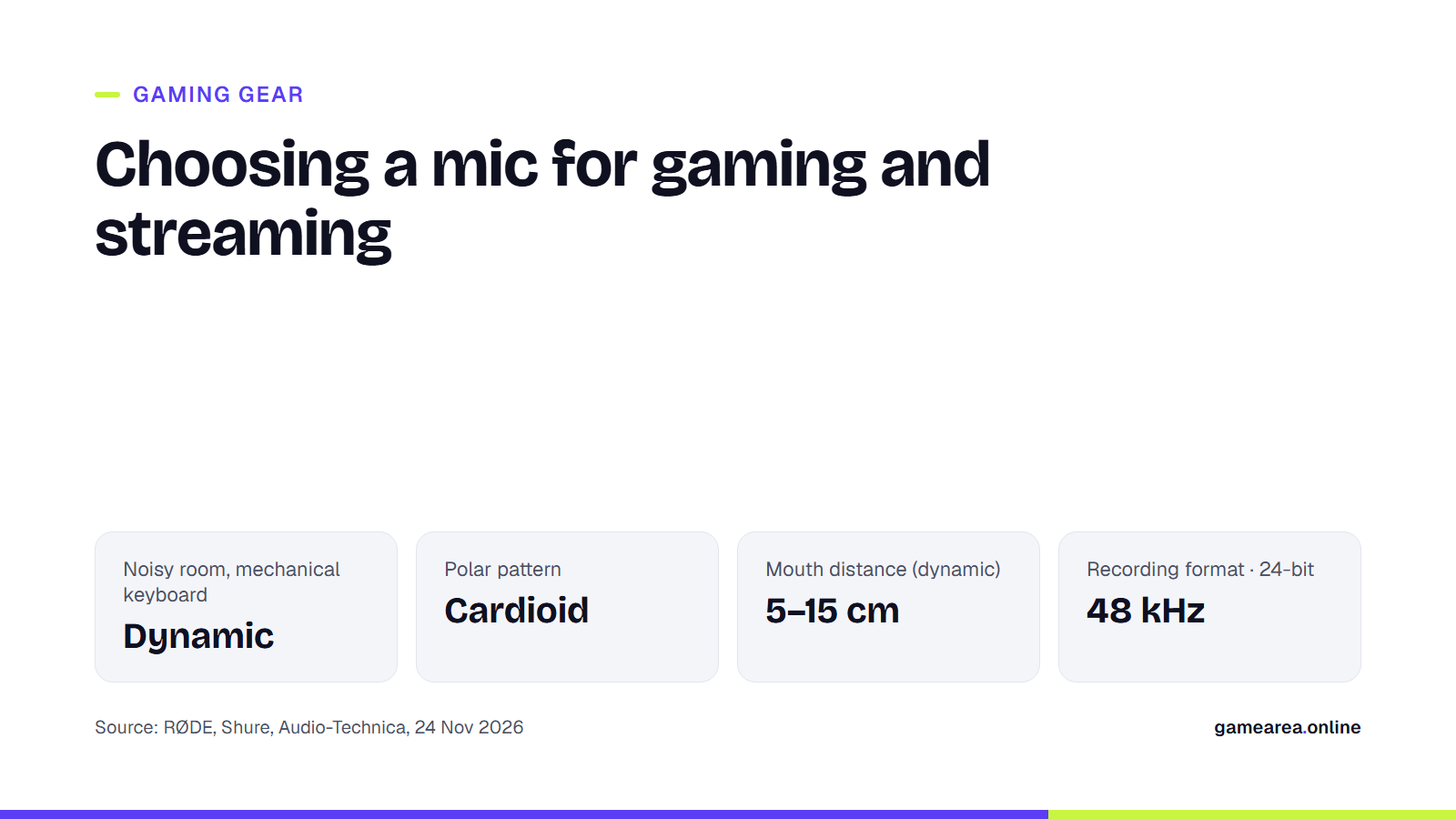
To choose a microphone for gaming and streaming, start with the room, not the spec sheet: in an untreated room with a mechanical keyboard, a cardioid dynamic mic 5–15 cm from your mouth usually sounds cleaner than an expensive condenser sitting at arm's length. For the connection, USB does the whole job over one cable, while XLR costs you an audio interface and buys you room to upgrade.
In short
- A USB mic converts its signal to digital internally; an XLR mic sends an analog signal and reaches the PC through an audio interface.
- Shure notes that condensers respond better to high frequencies, so at home they also catch air-vent hiss and mouth noises, which dynamics tend to smooth over.
- RØDE puts the mouth 5–15 cm from the grille of a dynamic mic and 15–30 cm from a condenser; closing the distance is the cheapest noise fix there is.
- Voice chat is compressed before anyone hears it: 48 kHz / 24-bit is plenty, and 192 kHz makes no audible difference to your squad.
Headset mic or a standalone microphone?
A headset boom mic solves the hardest problem for free: it stays at the same distance from your mouth however much you move. If you only talk to teammates, that is often enough. We covered what to look for on the mic side of a headset, including detachable and retractable designs, in our guide to choosing a gaming headset; this article is about a separate mic on your desk.
A standalone mic pays off when you stream, record video or podcasts, want a fuller and more natural voice, or listen through speakers or in-ear monitors instead of a headset. It comes with a cost: correct placement, a gain setting and, in most cases, an arm or a stand. A pricey mic placed badly can sound worse than a well-positioned headset mic.
How to choose a mic for gaming and streaming: USB or XLR?
The difference starts at the connector but shapes the whole setup. As Audio-Technica explains, a USB mic does its analog-to-digital conversion inside the body and feeds the computer directly, so no extra box is involved. Controls such as a mute button, headphone output and gain knob usually sit on the mic itself. For a solo stream and voice chat, this is the least fuss.
An XLR mic is an analog device: an XLR cable runs to an audio interface or mixer, and that unit handles conversion. The payoff is flexibility. You can upgrade the mic and the interface separately, and add inputs for a second speaker. When picking an interface, check two things: it must supply phantom power if you use a condenser, and it needs enough clean gain for a low-output dynamic. Shure states plainly that its famous SM7B has a low output and wants a good interface or an inline signal booster. There is also a middle road: hybrid models with both USB and XLR outputs, such as the Shure MV7+, let you start on USB and move to an interface later.
Dynamic or condenser: which one for a room with a mechanical keyboard?
In a dynamic mic, a small coil fixed to the diaphragm moves inside a magnet's field and generates the signal. Shure describes this design as extremely rugged and able to take very high sound pressure without distortion. In a condenser, a thin diaphragm vibrates against an electrically charged backplate. Its low mass picks up fine detail and high frequencies better, but it needs power to run: a battery, or phantom power delivered over the cable, typically somewhere between 12 and 48 V according to Shure. On a USB condenser, the USB connection supplies it.
In a gaming room, sensitivity is what decides it. The condenser's ear for detail brings unwanted sounds along too: air conditioning and case fans, room echo, the clatter of keys. Audio-Technica likewise describes dynamics as the option that keeps room noise down because they are less sensitive than condensers. If you use a mechanical keyboard and your room has no acoustic treatment, a cardioid dynamic kept close to your mouth is usually the most trouble-free choice. We compared the switch types that shape a keyboard's sound in our guide to choosing a gaming keyboard. In a quiet room softened by carpet and curtains, a condenser can give your voice a more open, detailed character.
What is a polar pattern: cardioid, supercardioid, omni and figure-8?
A polar pattern is a plot of how sensitive a mic is to sound arriving from each direction. Shure's education page separates the four basic patterns like this:
- Cardioid: the most common directional pattern. It hears a wide area in front and is least sensitive directly behind (180°). Shure says it often cuts ambient noise by roughly two-thirds compared with an omni.
- Supercardioid: a narrower front pickup of about 115° and stronger side rejection, with its least sensitive angle at 125°. In Sennheiser's words, it also takes in some sound from behind.
- Omni (omnidirectional): equally sensitive in every direction. It sounds open and natural but does nothing to filter background noise, so it is a poor fit for gaming in a noisy room.
- Figure-8 (bidirectional): listens to the front and rear in angles of about 90° each and rejects the sides. Handy for two people facing each other across a desk, unnecessary for a solo stream.
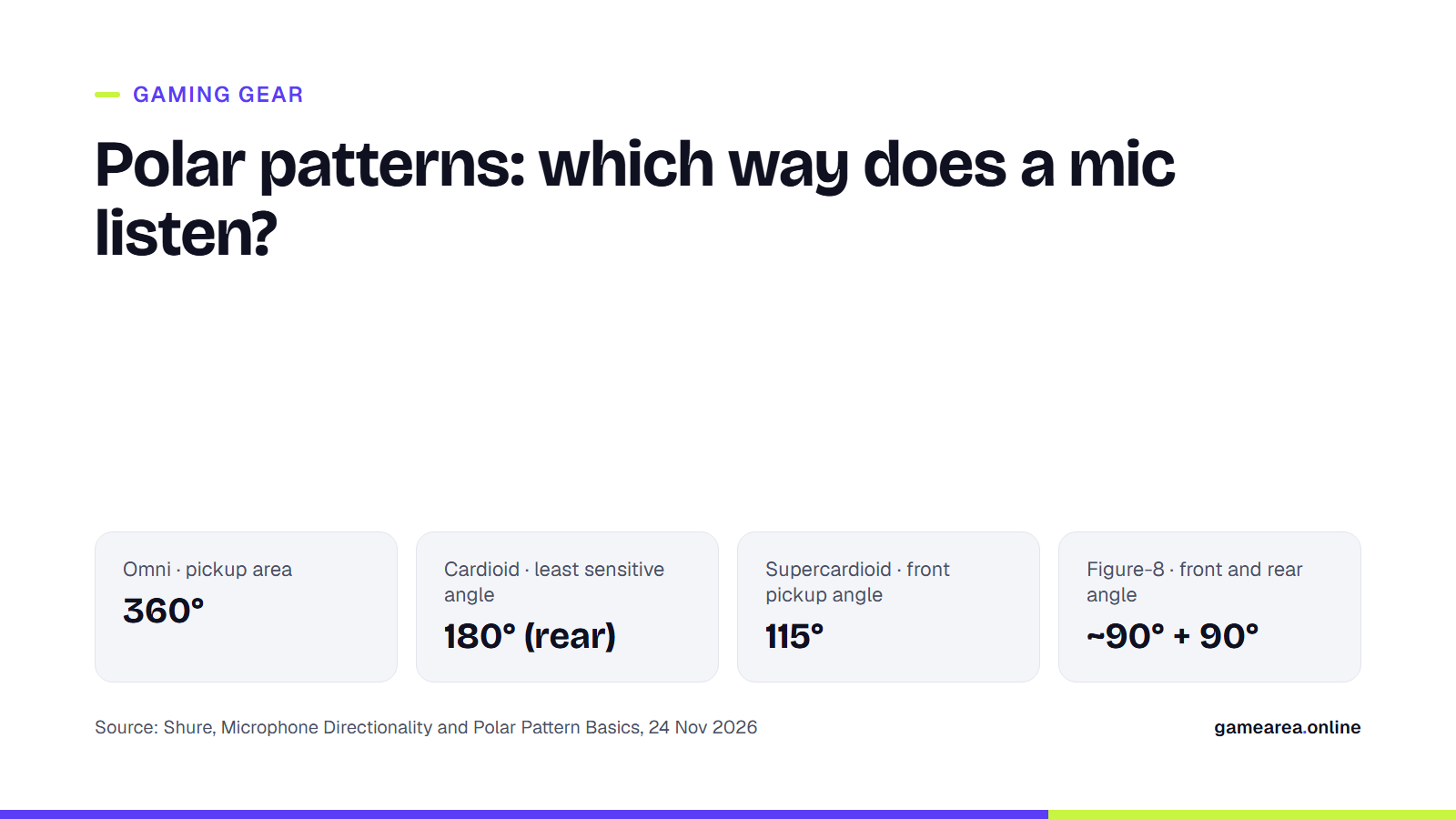
Narrower is not automatically better. Shure points out that tight patterns such as supercardioid can reject more noise but require your mouth to stay inside a small zone, otherwise your level jumps around. For a player who slouches back or leans in towards the screen, cardioid is usually more forgiving. On multi-pattern USB mics, pick cardioid mode for streaming; a mic left in omni or figure-8 hears everything in the room.
How much do sample rate and bit depth matter?
The box may say 96 kHz or even 192 kHz. Audio-Technica explains that models such as the ATR2100x-USB offer sample rates from 44.1 kHz up to 192 kHz at up to 24-bit, and that on Windows you change this in the device properties of the Sound control panel, under the Advanced tab. RØDE prefers 48 kHz for its own USB mics and interfaces, because it is the industry standard for video and film and avoids conversions to stay in sync with the picture. For streaming and video, 48 kHz is the right setting.
Bit depth sets the dynamic range of the recording. TASCAM gives roughly 96 dB for 16-bit, 144 dB for 24-bit and around 1,680 dB for 32-bit float. 24-bit leaves room to record a little quieter and raise it later, so choose it if you record. In voice chat, though, most of that detail never reaches the other side. Discord compresses voice to the channel's bitrate, and server boosts lift the cap to 128 kbps at Level 1, 256 kbps at Level 2 and 384 kbps at Level 3. What your teammate hears depends on mic placement and the room, not on 192 kHz.
How to set gain, proximity effect, pop filter and boom arm
Distance: RØDE calls placement the most critical part of mic technique and names putting the mic too far away as the most frequent mistake. A distant mic sounds hollow, echoey and noisy. The closer you get, the louder your voice is relative to the room.
Gain: set it while speaking the way you will in the stream or the match, including the moments you get excited. The level must stay out of the red; for USB mics RØDE suggests the computer's input meter should peak at around three-quarters. Cranking the gain raises every other sound in the room too, so move the mic closer first, then turn the gain down.
Proximity effect: directional mics gain bass as the source moves closer. A little adds warmth; too much sounds boomy and muddy. Shure suggests backing off a bit or trimming the low end with EQ when needed. Omni mics do not show this effect.
Pop filter: the burst of air on hard consonants like P and B causes a popping thump. A foam windscreen or a separate mesh filter reduces it, and RØDE also recommends angling the mic slightly so you talk across its front rather than straight into it.
Boom arm and shock mount: Shure notes that vibrations, such as bumping the desk or typing while the mic is live, end up in the recording as low-frequency thumps; a shock mount filters them, and a high-pass filter on the mic or mixer adds a second line of defence. A boom arm lifts the mic off the desk and makes it easy to bring it in front of your mouth rather than above the keyboard. A mic on a desk stand picks up every keystroke of a mechanical keyboard through its body.
| Situation | Recommended type and pattern | Mouth-to-mic distance |
|---|---|---|
| Noisy room, mechanical keyboard, voice chat | Dynamic, cardioid (USB or XLR) | 5–15 cm |
| Quiet, softened room, streaming or recording | Condenser, cardioid | 15–30 cm |
| Restless player, one person | Cardioid (rather than supercardioid) | Boom arm to keep it steady |
| Two people facing each other at a desk | One figure-8 mic or two cardioids | Equal for each speaker |
| Source: RØDE microphone technique guide, Shure education articles and Audio-Technica, 24 Nov 2026. Distances are metric conversions of RØDE's recommendations in inches. | ||
How do NVIDIA Broadcast and Discord's Krisp suppress noise?
Software can cover gaps the hardware leaves, but it does not replace a good mic. NVIDIA Broadcast offers Noise Removal, Room Echo Removal and Studio Voice, an effect that reshapes your voice with an AI-driven EQ. According to NVIDIA, noise removal can also run on incoming audio, not just on your own mic. The app creates a virtual microphone in Windows, which you then select as the input device in Discord or OBS. It needs at least a GeForce RTX 2060, Quadro RTX 3000 or TITAN RTX and 64-bit Windows 10 or 11. NVIDIA advises switching off any similar noise reduction built into your device so the same effect is not applied twice.
Discord's built-in option is Krisp. Discord's help page says it uses machine learning to strip out non-voice sounds such as a barking dog, a vacuum or a slammed door; the model runs on your device and nothing is sent to Krisp's servers. It is free inside Discord and supported on Windows, Linux, Mac (Apple silicon with OS 12 or later), Android and iOS. Two limits matter: it only filters your side, so you will still hear friends who have not turned it on. And Discord warns that in a quiet room with a quality mic, Krisp may lower your voice quality, so it suggests leaving it off there.
Frequently asked questions
Is a USB microphone good enough for streaming?
For a solo stream, voice chat and video, usually yes. A USB mic converts the signal to digital inside its body, so you need no extra hardware. XLR's advantage is the freedom to upgrade parts separately and run several mics. If you cannot decide, a hybrid model with both USB and XLR outputs keeps both paths open.
How do I stop my mechanical keyboard from being picked up?
First move the mic closer to your mouth and lower the gain, so your voice stays well above the keys. Mount a cardioid dynamic mic on a boom arm with its back facing the keyboard, and use a shock mount against desk vibrations. Any clicking that remains can be handled by software such as NVIDIA Broadcast or Discord's Krisp.
Does a condenser mic work without phantom power?
An XLR condenser needs power to run. According to Shure this is usually phantom power between 12 and 48 V, sent over the cable from an interface or mixer, and some models can run on a battery instead. A USB condenser draws its power from the USB port. Before buying an XLR condenser, make sure your interface provides phantom power.
Should I set my mic to 48 kHz or 96 kHz?
For streaming and video, 48 kHz is the standard and is enough; RØDE uses it on its own USB mics. For bit depth, 24-bit gives more dynamic range than 16-bit and leaves headroom while you set your gain. In voice chat the audio is compressed anyway, so higher sample rates make no audible difference on the other end.
Sources
- Shure — Microphone Directionality and Polar Pattern Basics Official source
- Shure — Mic Basics: What Are Transducers? Official source
- Shure — Choosing a Microphone for Podcasting Official source
- RØDE — Tips on Microphone Technique Official source
- RØDE — Why Do RØDE Interfaces and USB Mics Record at 48 kHz? Official source
- Audio-Technica — Audio-Technica XLR or USB Microphone: Everything You Need to Know Official source
- Audio-Technica — How do I Change the Sample Rate and Bit Depth on a USB Microphone? Official source
- Sennheiser — Microphone pick-up patterns (SpeechLine Wired) Official source
- TASCAM — What is 32-bit Float Recording? Official source
- NVIDIA — NVIDIA Broadcast App Official source
- NVIDIA — NVIDIA Broadcast App FAQs Official source
- Discord — What Is Krisp? Official source
- Discord — Audio Bitrate FAQ Official source
How this content was prepared
Prepared with AI assistance from the sources listed, key facts checked against official sources, not copied verbatim. Our AI principles
GAMEAREA Editörlüğü