How to choose a motherboard for gaming: socket, chipset, VRM, PCIe 5.0, memory and connectivity
To choose a motherboard for gaming, start with the processor: pick the platform that matches its socket, then the chipset tier you need for overclocking and PCIe 5.0, and only then the board itself, meaning its power stage, memory slots, size and ports. A motherboard does not add frames on its own; it sets the limits for every other part.
In short
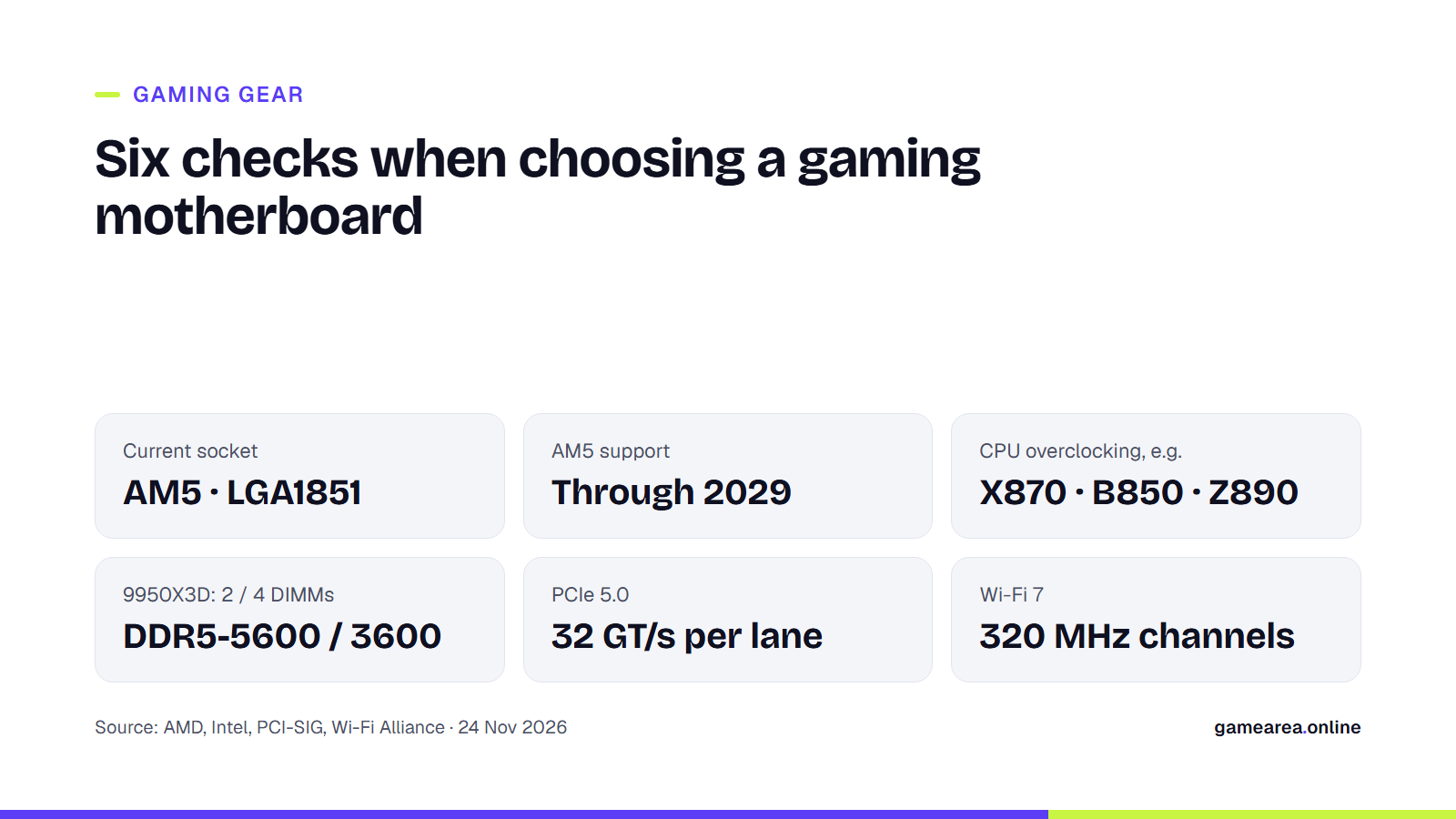
- As of 24 November 2026 the current desktop sockets are AM5 for AMD and LGA1851 for Intel, and AMD has said it will support AM5 through 2029.
- The chipset changes CPU overclocking, the PCIe generation of the graphics slot, extra PCIe lanes and the number of fast USB ports, not your in-game frame rate.
- Filling four memory slots can cost speed: AMD lists DDR5-5600 with two modules and DDR5-3600 with four for the Ryzen 9 9950X3D.
- A strong power stage (VRM) matters for a high-end CPU, and a BIOS Flashback button saves you when the firmware is too old.
How do you choose a motherboard for gaming, and where do you start?
You cannot pick a motherboard in isolation, because the CPU socket is soldered onto the board. Decide on the processor first; we covered core counts and cache in our guide to choosing a CPU for gaming. Once the CPU is fixed, so are the socket and the chipsets that work with it. From there you are choosing between different makers' designs built on the same chipset: the quality of the power stage, the number of M.2 slots, the networking hardware and the size.
Doing it the other way round is the most common mistake. Buying a board because you like the look and then hunting for a CPU to fit can leave you with a chipset that costs more than you need, or one that locks out a feature your processor has.
AM5 or LGA1851: which socket is current?
On the AMD side the current socket is AM5. According to AMD's chipset page, every AM5 board with a 600 or 800 series chipset accepts every AM5 processor, so Ryzen 7000, 8000 and 9000 chips all drop into the same socket. The one catch is that a 600 series board may need a BIOS update before it runs a Ryzen 8000 or 9000 processor. At Computex 2026 AMD announced that it is extending AM5 platform support through 2029, which makes an AM5 board bought today a candidate for later CPU upgrades too. At the time of writing, AMD's chipset page lists no AM5 chipsets beyond the 600 and 800 series.
On the Intel side the current desktop socket is LGA1851. Core Ultra 200S processors (Series 2) use it together with the 800 series chipsets: Z890, B860 and H810. In March 2026 Intel added the Core Ultra 7 270K Plus and Core Ultra 5 250K Plus for the same platform, which Intel's launch deck says went on shelves on 26 March 2026. Intel's next desktop generation, code-named Nova Lake, had not gone on sale as of 24 November 2026, and Intel had not published which socket it will use or whether it will work with 800 series boards. If an upgrade path matters to you, factor that uncertainty in.
What does the chipset change: X870, B850, Z890, B860?
The chipset is the chip that manages most connections outside the processor, and it also decides which CPU features the board can unlock. For gamers four differences stand out: CPU overclocking, the PCIe generation of the graphics card slot, extra PCIe lanes for storage and cards, and the number of fast USB ports. With the same processor, graphics card and memory, there is no reason to expect a meaningful frame rate gap between a B series board and a flagship; the difference is connectivity and flexibility.
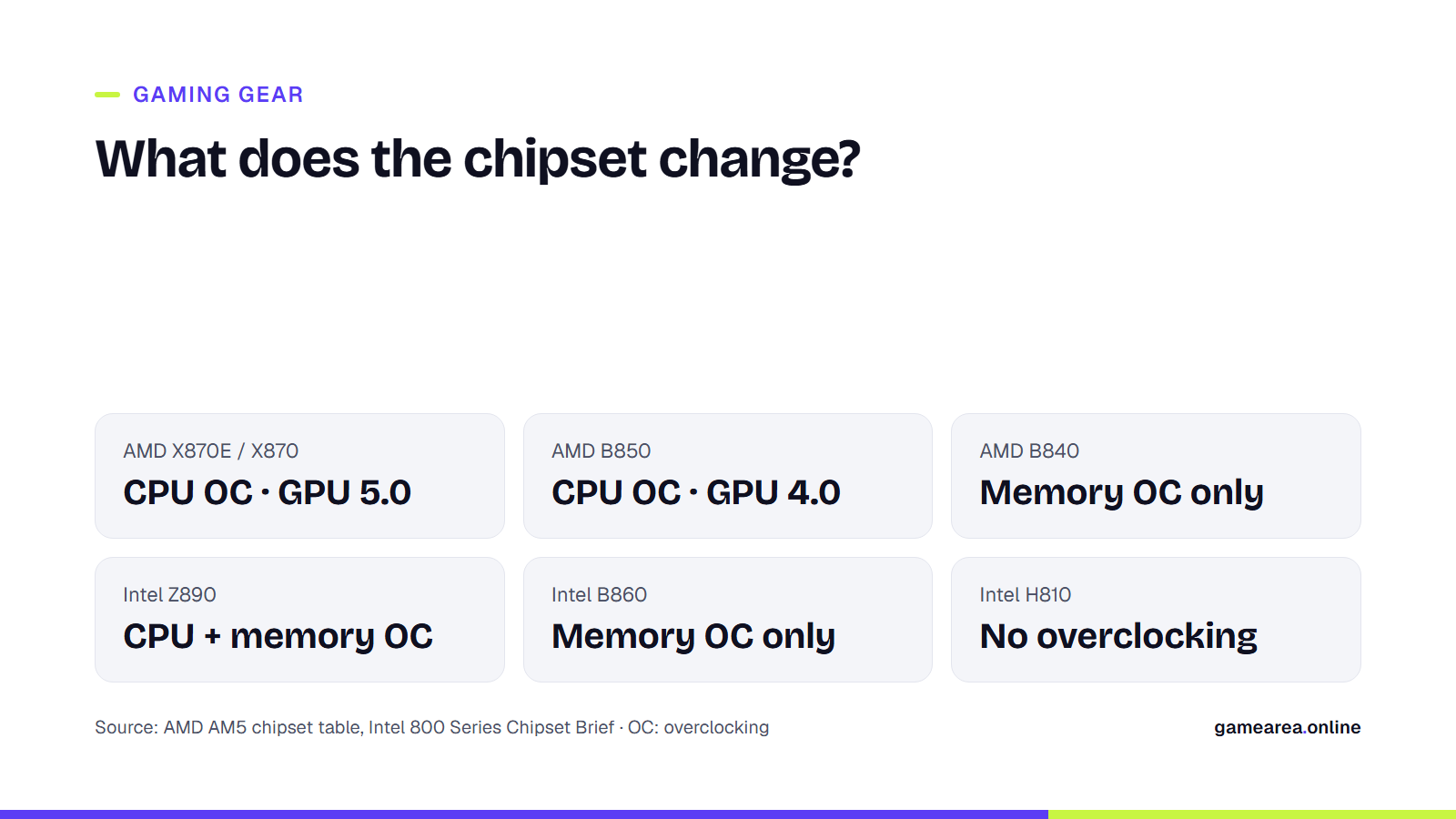
In AMD's table, X870E and X870 offer PCIe 5.0 for both the graphics slot and NVMe, and USB4 is standard on both. B850 allows CPU overclocking but runs the graphics slot at PCIe 4.0, keeping PCIe 5.0 for one NVMe slot. B840 and A620 have no CPU overclocking, although memory overclocking with EXPO is supported. On Intel, CPU overclocking is unlocked only on Z890; B860 allows memory overclocking, and H810 allows neither. Z890 can split the processor's PCIe 5.0 lanes as 1x16+1x4, 2x8+1x4 or 1x8+3x4 and adds up to 24 PCIe 4.0 lanes from the chipset, compared with 14 on B860 and 8 on H810.
| Chipset | CPU overclocking | Memory overclocking | Graphics slot | Key difference |
|---|---|---|---|---|
| AMD X870E | Yes | Yes | PCIe 5.0 | USB4 standard, up to 2 USB 20 Gbps ports |
| AMD X870 | Yes | Yes | PCIe 5.0 | USB4 standard, up to 1 USB 20 Gbps port |
| AMD B850 | Yes | Yes | PCIe 4.0 | 1 NVMe slot at PCIe 5.0, USB4 optional |
| AMD B840 | No | Yes | PCIe 4.0 | NVMe slot at PCIe 4.0 |
| Intel Z890 | Yes | Yes | PCIe 5.0 | Up to 24 chipset PCIe 4.0 lanes, up to 5 USB 20 Gbps ports |
| Intel B860 | No | Yes | PCIe 5.0 | Up to 14 chipset PCIe 4.0 lanes |
| Intel H810 | No | No | – | 8 chipset PCIe 4.0 lanes, one memory module per channel |
| Source: AMD Socket AM5 chipset table and Intel 800 Series Chipset Brief, 24 Nov 2026. Board makers do not have to use every feature on every model, so check the spec page of the board you are considering. | ||||
Do you need PCIe 5.0 for the graphics card and SSD?
PCI-SIG defines PCIe 5.0 at 32 GT/s per lane; PCIe 6.0 doubles that to 64 GT/s and reaches 256 GB/s over x16, so a PCIe 5.0 x16 link carries half of that. PCI Express generations are designed to stay backward compatible, so a PCIe 5.0 graphics card still works in a PCIe 4.0 slot; the link simply runs at 4.0 speed. The real question for gaming is whether your card notices the difference, and that is something to judge from tests of that specific card.
For storage, a PCIe 5.0 M.2 slot makes sense for the newest NVMe drives with very high sequential speeds. What actually drives game load times is covered in our guide to choosing an SSD for gaming. When comparing boards, the point to watch is lane sharing. A processor only has so many lanes: AMD lists 24 usable PCIe 5.0 lanes for the Ryzen 9 9950X3D and Intel lists 24 lanes for the Core Ultra 9 285K. On some boards, populating certain M.2 slots drops the graphics slot from x16 to x8, so always read the lane-sharing table in the manual.
Memory support: how many slots, what speed, and what is the QVL for?
Both current platforms, AM5 and LGA1851, use DDR5 only and have two memory channels. On a four-slot board, putting two modules on each channel loads the memory controller harder and lowers the speed you can reach. AMD lists DDR5-5600 with two modules and DDR5-3600 with four for the Ryzen 9 9950X3D. Intel also notes that its top memory speeds assume one module per channel and that extra modules may lower them, and H810 supports only one module per channel to begin with. For gaming, reaching your target capacity with two modules is almost always the better choice; capacity and latency are covered in depth in our guide to choosing RAM for gaming.
The QVL (qualified vendor list) is the board maker's list of memory kits it has tested and approved on that model, published on the board's support page. A kit that is not on the list will most likely still work, but stability at full speed with an EXPO or XMP profile is not guaranteed. In its Core Ultra 200S Plus deck Intel mentioned early support for four-rank CUDIMM modules on selected 800 series boards, and AMD said EXPO Ultra Low Latency kits would be on sale from June 2026. If you plan to use newer memory types like these, checking the QVL matters even more.
What is a VRM, and why does it matter for a high-end CPU?
The VRM (voltage regulator module) is the power stage around the socket that turns the 12 V coming from the power supply into the low voltage the processor runs on. The more power the CPU draws, the more load and heat this stage has to handle. Intel gives the Core Ultra 9 285K a base power of 125 W and a maximum turbo power of 250 W; AMD lists a 170 W default TDP for the Ryzen 9 9950X3D and recommends a liquid cooler. A weak or poorly cooled power stage that gets hot can stop the processor from holding its highest clocks for long.
Phase count alone is not a good guide, because makers count phases in different ways and the numbers on the box are not directly comparable. More useful are VRM temperatures measured under sustained load in independent reviews, and the size of the heatsink sitting on the power stage. With a mid-range, lower-power CPU, an entry-level board's power stage is usually enough; if you are aiming for a top-tier CPU or overclocking, spend part of the budget here. Plan the power supply side as well, and make sure it has enough cables for all of the board's CPU power connectors.
What is the difference between ATX, mATX and ITX?
Corsair gives the sizes as 305 × 244 mm for ATX, 244 × 244 mm for microATX and 170 × 170 mm for Mini-ITX. ATX and microATX boards usually have four memory slots, and most microATX boards top out at two x16-length slots. Mini-ITX has two memory slots and a single graphics card slot. The case sets the rules: a microATX board fits an ATX case, but not the other way round. If you are building small, check graphics card length and CPU cooler height at the same time.
Do you need BIOS Flashback, Wi-Fi 7 and 2.5 Gbit Ethernet?
BIOS Flashback (the name varies by maker) lets you update the board's BIOS without booting into an operating system or the BIOS menu, using a USB port on the rear panel and a button. ASUS describes it as the route to take when the board will not start or gives no picture. That is exactly what helps when a board ships with old firmware and you want to run a newer CPU; remember that AMD says 600 series boards may need a BIOS update for Ryzen 9000.
For wireless, the Wi-Fi Alliance says Wi-Fi 7 was introduced in 2024. It brings 320 MHz channels in the 6 GHz band, Multi-Link Operation that uses several links at once, and 4K QAM, which the Alliance rates 20 percent faster than the 1024 QAM of Wi-Fi 6. To benefit, your router or access point must support Wi-Fi 7 too, and 6 GHz availability varies by country. Intel's 800 series chipsets support Wi-Fi 6E integrated and Wi-Fi 7 through a separate module. On the wired side, 2.5 Gbit Ethernet is now common; Intel's widely used I226-V controller runs at that speed. In competitive games a cable is preferred for stable latency more than raw speed, and if your internet line is below 1 Gbit, 2.5 Gbit adds nothing to gaming directly.
Frequently asked questions
Is a B850 motherboard good enough for gaming?
For most gaming builds, yes. AMD says B850 supports CPU and memory overclocking and offers PCIe 5.0 for one NVMe slot. What it lacks is a PCIe 5.0 graphics slot, which runs at PCIe 4.0, and USB4 is optional rather than standard. If you want PCIe 5.0 for the graphics card or guaranteed USB4, look at X870 or X870E.
Can you overclock an Intel CPU without a Z890 board?
Not the processor itself. According to Intel's 800 series table, CPU and BCLK overclocking are unlocked only on Z890. B860 allows memory overclocking, so you can still run fast memory with an XMP profile, while H810 supports neither kind. If you want to get everything out of a K series processor, choose a Z890 board.
Does filling all four RAM slots reduce performance?
It can reduce speed. With two modules on each channel the supported memory speed drops: AMD lists DDR5-5600 with two modules and DDR5-3600 with four for the Ryzen 9 9950X3D. Two large modules usually serve gaming better than four small ones. If you really need a lot of capacity, look for four-module kits on the board maker's QVL.
If I buy an AM5 motherboard, can I upgrade the CPU later?
According to AMD, yes: at Computex 2026 the company announced that it is extending AM5 platform support through 2029. A new processor may need a BIOS update first, which is why a board with a BIOS Flashback button makes the upgrade easier. Check the board maker's support page to see which BIOS version each processor requires.
Sources
- AMD — AMD Socket AM5 Chipsets Official source
- AMD — AMD Computex 2026: 10 Years of AM4, AM5 Support Through 2029 and Expanded RDNA 4 Gaming Official source
- AMD — AMD Ryzen 9 9950X3D Official source
- Intel — Chipset Brief: Intel 800 Series Chipset with Intel Core Ultra Desktop Processors (Series 2) Official source
- Intel — Intel Core Ultra 200S Plus Official source
- Intel — Intel Core Ultra 9 Processor 285K Specifications Official source
- PCI-SIG — PCI Express 6.0 Specification Official source
- Wi-Fi Alliance — Wi-Fi CERTIFIED 7 Official source
- ASUS — How to use USB BIOS FlashBack Official source
- Corsair — ATX vs MicroATX vs Mini-ITX: what's the difference? Official source
How this content was prepared
Prepared with AI assistance from the sources listed, key facts checked against official sources, not copied verbatim. Our AI principles
GAMEAREA Editörlüğü