How to choose a gaming mouse pad: Cloth, hard and hybrid surfaces, size and thickness
The mouse pad is the surface your gaming mouse's sensor reads; every movement of your hand starts and stops on it. This guide compares surface types, thickness and size using manufacturer data.
In short
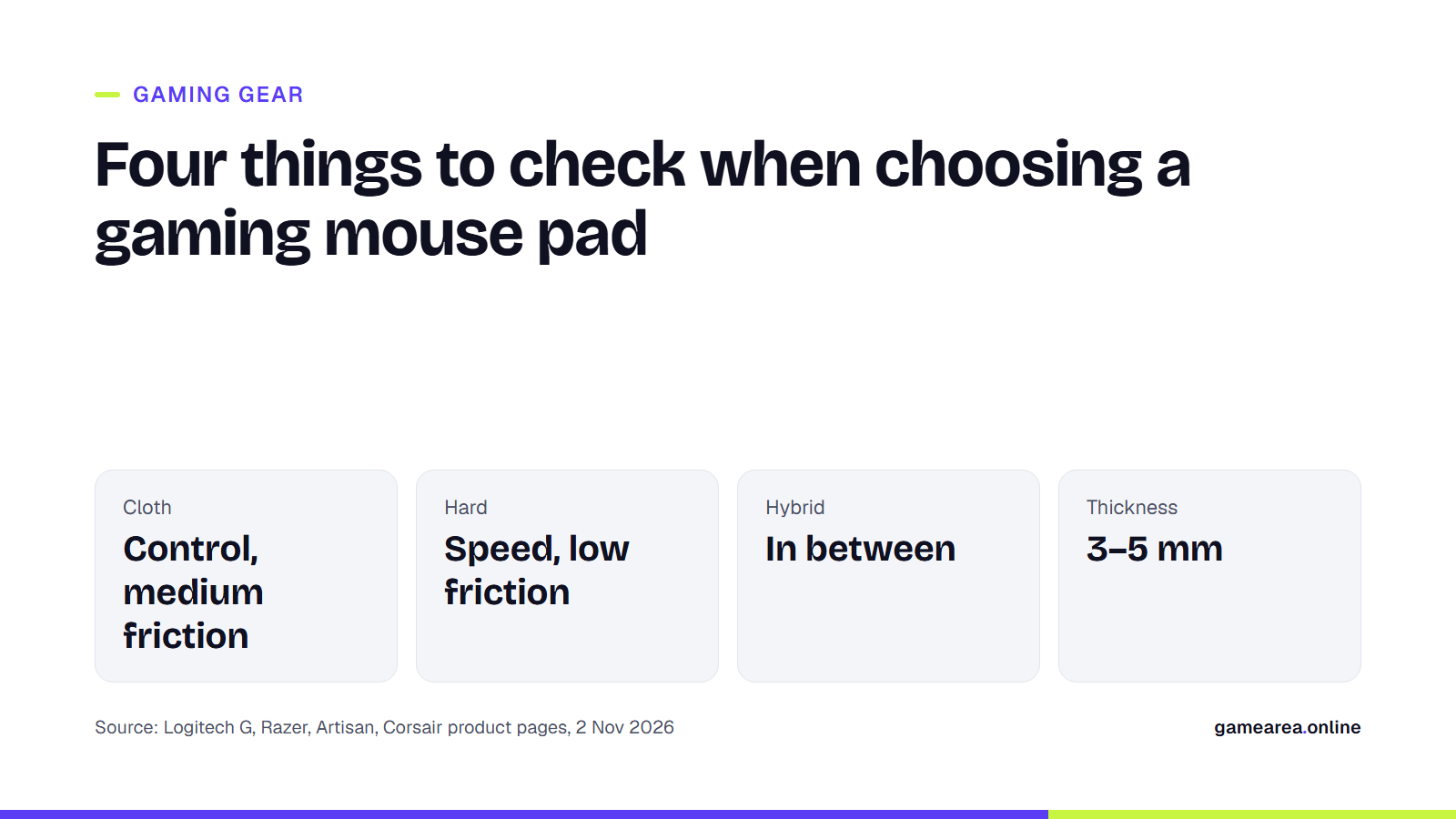
- Manufacturers position cloth surfaces for control and hard surfaces for speed; hybrid pads sit in between.
- If you play at low sensitivity, you make wide movements with your arm; manufacturers recommend large and desk-size pads for these players.
- Among the products we looked at, thickness ranges from 3 to 5 mm; according to Artisan, the softer the base, the easier it is to stop.
- A stitched edge delays fraying; a water-resistant surface or washable cloth makes cleaning easier.
Control pad or speed pad?
In the world of mouse pads, the first decision is how much friction the surface produces. Razer draws the line clearly: hard pads are for speed, soft pads are for control, and the hybrid Razer Strider is designed to balance the two. Logitech explains the same distinction in terms of DPI. According to the company, players who use low DPI benefit from a surface that offers the mouse feet some resistance when starting and stopping a sudden movement; the cloth G640 is offered as "moderate friction" for this. The hard G440, on the other hand, is positioned as a low-friction surface for players who use high DPI and play with small hand movements.
You can run a simple test: if you often overshoot your target in game (swiping too far and correcting back), a cloth pad with more stopping power may suit you. If you can't keep up with your target and find yourself straining your arm, a slicker surface may make things easier. There is no universal right answer; the feel can change with your aiming style and your mouse's feet.
What's the difference between cloth, hybrid, glass and hard plastic?
- Cloth: The most common type. The SteelSeries QcK Heavy uses micro-woven cloth, and the Artisan FX Zero a 100% polyester surface. Artisan describes the FX Zero as a stopping-focused surface with a slightly rough texture.
- Hybrid: The Razer Strider combines the glide of a hard surface with the roll-up portability of a soft base. According to Razer, it has lower dynamic friction and a firmer base than the Gigantus V2.
- Hard plastic: The Logitech G440 has a polyethylene surface and an impact-resistant polystyrene body. Logitech says this surface lets the mouse move with even minimal force.
- Glass: The Razer Atlas is made of tempered glass; Razer says the glass is specially treated for quieter glide than the average glass pad. Razer asks that the glass pad always be placed on a flat surface to prevent accidental damage.
Logitech also highlights a detail about design: heavily patterned and printed surfaces can affect sensor performance. That is why the company says it uses a plain, consistent texture on its pads. Keep this in mind before picking a very colorful design.
What do foam thickness and base firmness change?
Thickness affects both comfort and feel. The Corsair MM350 Champion Series X-Large is 5 mm, the Razer Gigantus V2 is 3 mm in the M and L sizes and 4 mm in the XXL and 3XL sizes, and the Logitech G840 is 3 mm. Razer says the thickness of the Gigantus V2 keeps the pad flat even on uneven desks and cushions the wrist.
The most interesting example is Artisan. The company sells the same surface with three different base firmnesses: the very soft XSOFT makes stopping easier and suits recoil control; the medium-soft SOFT is an all-rounder; and the firm MID is aimed at tracking aim, with a light, consistent glide. In other words, the same cloth can feel different depending on how firm the foam underneath is; if you want control, a soft base makes more sense, and if you want consistent glide, a firm one does.
Which size is right for you?
What really determines size is your sensitivity. Someone who plays at low sensitivity uses their arm to turn 180 degrees and needs a large area to avoid hitting the edge of the pad. Logitech says players who use low DPI make wide, fast hand movements, and Razer recommends the desk-size 3XL Gigantus V2 for low-DPI players. If you play from the wrist at high sensitivity, a medium-size pad may be enough. We cover the mouse side of sensitivity settings in our guide to choosing a gaming mouse.
| Product | Surface | Size (as stated by the manufacturer) | Thickness |
|---|---|---|---|
| Logitech G440 | Hard (polyethylene) | 280 × 340 mm | Not stated on the page |
| Logitech G640 | Cloth, moderate friction | 400 × 460 mm | Not stated on the page |
| Razer Gigantus V2 | Micro-woven cloth | 360 × 275 mm (M) – 1200 × 550 mm (3XL) | 3 mm (M, L), 4 mm (XXL, 3XL) |
| Razer Strider | Hybrid | Not stated on the page | 3 mm |
| Artisan FX Zero | 100% polyester cloth | 240 × 210 mm (S) – 500 × 490 mm (XXL) | 4 mm (3 mm with the MID base) |
| Corsair MM350 Champion X-Large | Cloth | 450 × 400 mm | 5 mm |
| Source: official Logitech G, Razer, Artisan and Corsair product pages, 2 November 2026. Dimensions are the values stated by the manufacturers. | |||
Why do edge stitching and cleaning matter?
The edges are the first part of a cloth pad to wear; over time the surface can lift, especially along the front edge where your wrist rubs. Corsair says the 360-degree stitched edge on the MM350 protects the surface against peeling, and Razer says the protective stitching on the Strider prevents fraying from heavy use and transport.
When it comes to cleaning, the surface type is decisive. SteelSeries says the QcK series is easy to wash. Razer says the Strider's surface resists spills and can be cleaned with a quick wipe, and recommends wiping the glass Atlas regularly with a warm, damp cloth. Artisan, for its part, notes that glide and texture can vary even between colors of the same model, and that anyone who wants the same feel should buy the same color.
Frequently asked questions
Does a glass mouse pad work with every mouse?
Razer says it optimized the Atlas for optical sensors. It's worth checking with your mouse's manufacturer that it works properly on a glass surface.
Is a thicker mouse pad better?
Manufacturers link thickness to wrist comfort and to staying flat on uneven desks. But thickness isn't the whole story; base firmness matters too: Artisan presents its soft base as geared toward stopping and its firm base toward consistent glide.
I play at low sensitivity. What size should I get?
If you aim with your arm, it makes sense not to go below size L; if your desk allows it, you could consider the XXL or 3XL sizes, which also fit your keyboard on top. Razer specifically recommends the 3XL Gigantus V2 for low-DPI players.
Can you wash a cloth mouse pad?
Some models are sold as washable, for example the SteelSeries QcK. Always check the washing method in your own product's manufacturer instructions.
Sources
- Logitech G — G640 Large Cloth Gaming Mouse Pad Official source
- Logitech G — G440 Hard Gaming Mouse Pad Official source
- Logitech G — G840 Extra-Large Cloth Gaming Mouse Pad Official source
- Razer — Razer Gigantus V2 Official source
- Razer — Razer Strider — Hybrid Mouse Mat Official source
- Razer — Razer Atlas — Tempered Glass Mouse Mat Official source
- SteelSeries — QcK Heavy Official source
- ARTISAN — NINJA FX ZERO Official source
- CORSAIR — MM350 Champion Series Mouse Pad – X-Large Official source
How this content was prepared
Prepared with AI assistance from the sources listed, key facts checked against official sources, not copied verbatim. Our AI principles
GAMEAREA Editörlüğü