How to choose a power supply (PSU) for a gaming PC: wattage, 80 PLUS, ATX 3.1 and 12V-2x6
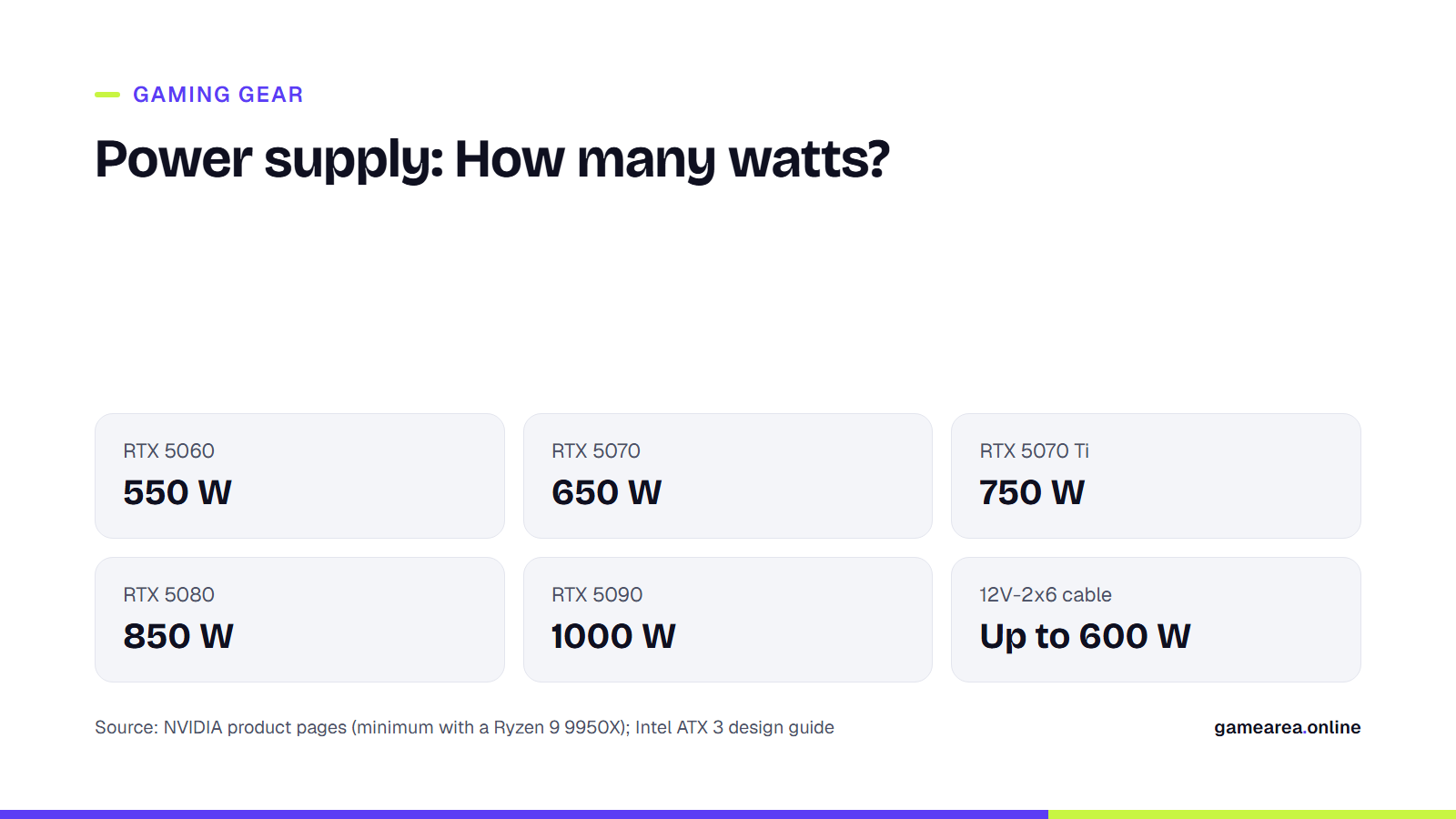
When choosing a power supply for a gaming PC, the first thing to look at is the system power the graphics card maker specifies for that card; the efficiency label and the ATX version come after that. On NVIDIA's own pages that value is 550 W for the RTX 5060 and 1000 W for the RTX 5090. Once you have the wattage right, the 80 PLUS level determines your bill and the heat, while ATX 3.1 and 12V-2x6 determine compatibility with the new generation of cards.
In short
- Wattage: take the graphics card maker's system power value as your floor. That value is a minimum calculated with a specific processor, not a recommendation.
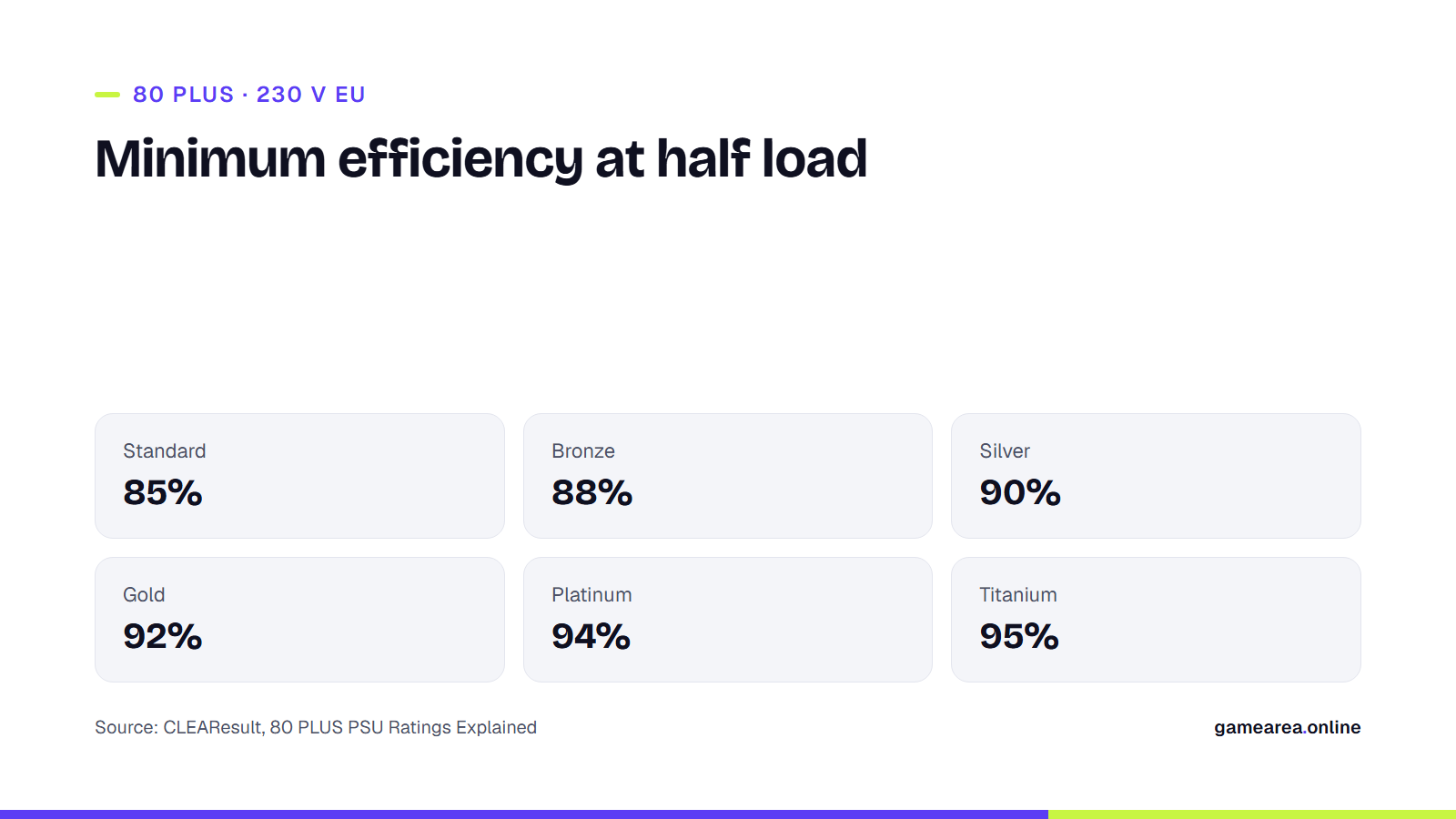
- Efficiency: 80 PLUS measures efficiency only. On the 230 V grid used in Turkey, Gold means at least 92 percent efficiency at half load.
- Standard: an ATX 3.1 compliant power supply above 450 W is designed to withstand, for a short time, twice its rated power during the graphics card's momentary power spikes.
- Connector: 12V-2x6 carries up to 600 W over a single cable; the sense pins determine how many watts the cable is rated for.
How many watts does a gaming PC power supply need?
The most reliable starting point is the specifications page of the company that makes the card. NVIDIA publishes two separate values for every GeForce model: the total graphics power the card itself draws, and the power supply wattage required for the whole system.
| Graphics card | Card power | Required system power | Power connector |
|---|---|---|---|
| GeForce RTX 5060 | 145 W | 550 W | 1x 8-pin PCIe, or a PCIe Gen 5 cable rated 300 W or higher |
| GeForce RTX 5060 Ti | 180 W | 600 W | 1x 8-pin PCIe, or a PCIe Gen 5 cable rated 300 W or higher |
| GeForce RTX 5070 | 250 W | 650 W | 2x 8-pin PCIe, or a PCIe Gen 5 cable rated 300 W or higher |
| GeForce RTX 5070 Ti | 300 W | 750 W | 2x 8-pin PCIe, or a PCIe Gen 5 cable rated 300 W or higher |
| GeForce RTX 5080 | 360 W | 850 W | 3x 8-pin PCIe, or a PCIe Gen 5 cable rated 450 W or higher |
| GeForce RTX 5090 | 575 W | 1000 W | 4x 8-pin PCIe, or a 600 W PCIe Gen 5 cable |
| Source: NVIDIA GeForce RTX 50 series product pages, accessed November 21, 2026. System power is the minimum given for a PC with a Ryzen 9 9950X processor. | |||
The note under the table is the heart of the matter. NVIDIA writes that it calculated these values with a high-end processor such as the Ryzen 9 9950X and that requirements may vary depending on system configuration. If you use a processor that draws less power, the value in the table leaves you some headroom; if you overclock, or have a large number of drives and fans connected, the headroom shrinks.
A practical rule: do not go below the value in the table, and if you are thinking of upgrading the card within a year or two, buy one step up. A power supply that is far bigger than necessary does no harm, but at idle and under light load it runs away from its most efficient point, and its price goes up for no reason.
What do 80 PLUS Bronze, Gold and Platinum mean?
80 PLUS is an efficiency certification run by CLEAResult. It measures how much of the energy a power supply draws from the wall socket is delivered to the computer, at 20, 50 and 100 percent load; at the Titanium level, 10 percent load is tested as well. Because the grid in Turkey is 230 V, the table you need to look at is the 230 V EU table; the thresholds in the 115 V table are a few points lower.
| Level (230 V EU) | 20% load | 50% load | 100% load |
|---|---|---|---|
| 80 PLUS Standard | 82% | 85% | 82% |
| 80 PLUS Bronze | 85% | 88% | 85% |
| 80 PLUS Silver | 87% | 90% | 87% |
| 80 PLUS Gold | 90% | 92% | 89% |
| 80 PLUS Platinum | 92% | 94% | 90% |
| 80 PLUS Titanium | 93% | 95% | 91% |
| Source: CLEAResult, 80 PLUS PSU Ratings Explained. Titanium additionally requires at least 90% efficiency at 10% load. | |||
Let's make the numbers concrete. If your PC draws 400 W in a game and that corresponds to the power supply's half load, a Bronze model draws at most about 455 W from the wall, and a Gold model about 435 W. The 20 W in between is not released into the case as heat, and the fan spins less. The difference on your bill, meanwhile, depends on how many hours a day you play, and for most users it is small.
There are also things the label does not tell you. 80 PLUS certifies efficiency only; it does not measure voltage ripple, the quality of the capacitors used, the protection circuits or fan noise. Two Gold power supplies can have the same efficiency and be very different in build quality. That is why the label should be read as a lower threshold: for a gaming system, Bronze is the acceptable floor, and Gold is the level where the balance of price and efficiency is most often struck.
What is ATX 3.1, and how does it differ from an older power supply?
ATX 3.x is the current generation of the design guide Intel publishes for desktop power supplies. Revision 2.1a of the guide is aligned with ATX 3.1, and the provision that matters most to gamers is power excursions. Modern graphics cards draw current far above their rated power for moments shorter than a millisecond; older power supplies can mistake this for an overload and shut the system down.
According to Intel's table, a power supply above 450 W with a 12V-2x6 connector must withstand the following excursions:
| Excursion duration | Power to be withstood (percent of rated power) |
|---|---|
| 100 microseconds | 200% |
| 1 millisecond | 180% |
| 10 milliseconds | 160% |
| 100 milliseconds | 120% |
| Source: Intel, ATX Version 3 Multi Rail Desktop Platform Power Supply Design Guide (document 336521, revision 2.1a). | |
In other words, an 850 W ATX 3.1 compliant model is designed to handle a 1700 W excursion for 100 microseconds without shutting down. The same guide also sets a floor at very light load: at 10 W or 2 percent load, efficiency must be at least 60 percent, and 70 percent is recommended. This provision limits the energy your PC uses while it sits idle on the desktop.
The difference between ATX 3.0 and 3.1 is small. According to Seasonic's comparison, the excursion requirements stayed the same, the name of the connector and the socket design changed, the hold-up time that keeps the output alive during a power cut was reduced from 17 milliseconds to 12 milliseconds at full load, and 17 milliseconds at 80 percent load was kept as a recommendation.
Are 12V-2x6 and 12VHPWR the same thing?
12V-2x6 is the version, updated by PCI-SIG, of the 12VHPWR connector that made headlines in its first generation because of melting problems. According to Seasonic's explanation, the difference is on the socket side: the power-carrying conductor terminals were lengthened and the sense pins were shortened. As a result, the card does not start drawing power when the plug is not fully seated. The cables, on the other hand, are the same and are compatible across the two generations.
A single cable can carry up to 600 W, but not every cable is a 600 W cable. The power supply tells the card how much it may draw through two sense pins. The table in Intel's guide defines four levels: 150 W, 300 W, 450 W and 600 W. A card that requires a 600 W cable, such as the RTX 5090, will not run at full power on a 450 W cable. That is why you should check the wattage marked on the end of the cable or on the power supply's box.
What should you watch for when plugging in a 12V-2x6 cable?
Push the plug all the way in until you hear the click; there should be no gap between the socket and the plug. Do not bend the cable sharply right at the base of the plug. Using the native cable that comes in the power supply's box is a tidier solution, with fewer contact points, than joining four separate 8-pin cables with an adapter.
Modular cables, protections and warranty: what else should you check on the box?
- Cabling: With a fully modular model you only plug in the cables you use; airflow inside the case and the build itself get easier. Do not swap modular cables between brands, or even between different series of the same brand: the pin layout on the power supply side is not standardised.
- Protections: Make sure the box lists over-current (OCP), over-voltage (OVP), over-power (OPP), short-circuit (SCP) and over-temperature (OTP) protection.
- Size: Standard cases take an ATX power supply; small cases require SFX or SFX-L. Check the power supply length your case supports on the case maker's page.
- Warranty: The warranty period a manufacturer offers is an indirect sign of the confidence it has in its own product. The period varies from model to model; verify the warranty terms in Turkey on the importer's page.
Once you have settled on a power supply, you can take a look at our guide on how to choose a graphics card for gaming for the rest of the system.
Frequently asked questions
How many watts does a power supply need for an RTX 5070?
NVIDIA specifies 650 W of system power for the RTX 5070 and 750 W for the RTX 5070 Ti. These values are the minimum given for a system with a Ryzen 9 9950X processor. With a more frugal processor, 650 W is comfortably enough; if you are thinking of moving to a more powerful card later, 750 W or 850 W is the longer-lasting choice.
Is an 80 PLUS Gold power supply better quality than a Bronze one?
It is more efficient; it is not guaranteed to be better quality. 80 PLUS only certifies how much of the energy drawn from the wall reaches the computer. Voltage stability, protection circuits and component quality are outside the scope of the certification. For those, you need to look at independent reviews and the manufacturer's warranty period.
I have an ATX 3.0 power supply; should I move to ATX 3.1?
In most cases there is no need. The power excursion requirements of the two versions are the same, and 12VHPWR cables are compatible with cards that have a 12V-2x6 socket. The difference lies in the socket design and a few timing values. If you are buying a new power supply, choosing an ATX 3.1 one makes sense; on its own it is not reason enough to replace a working ATX 3.0 model.
Does it do any harm if the power supply is bigger than necessary?
It does not damage the hardware; the computer only draws as much power as it needs. The downsides are cost and the drop in efficiency at very light loads. Below the Titanium level, 80 PLUS tests start at 20 percent load, so the efficiency of a 1200 W model during 100 W of desktop use cannot be read off the label.
Can I use a new graphics card with my old power supply?
If the wattage is sufficient and you have the required 8-pin PCIe cables, most cards will work with the adapter that comes in the box. Even so, because models that predate ATX 3.x were not designed for power excursions, sudden shutdowns can occur with high-end cards. If your power supply is old and the card is above 300 W, replacing it is the safer option.
Sources
- Intel — ATX Version 3 Multi Rail Desktop Platform Power Supply Design Guide (336521, rev. 2.1a) Official source
- CLEAResult — 80 PLUS PSU Ratings Explained Official source
- NVIDIA — GeForce RTX 5090 Graphics Cards Official source
- NVIDIA — GeForce RTX 5070 Family Graphics Cards Official source
- NVIDIA — GeForce RTX 5060 Family Graphics Cards Official source
- Seasonic — Differences Between ATX 3.0 and ATX 3.1 Standards Official source
How this content was prepared
Prepared with AI assistance from the sources listed, key facts checked against official sources, not copied verbatim. Our AI principles
GAMEAREA Editörlüğü