How to choose a handheld gaming PC: Screen, battery, SteamOS and Windows
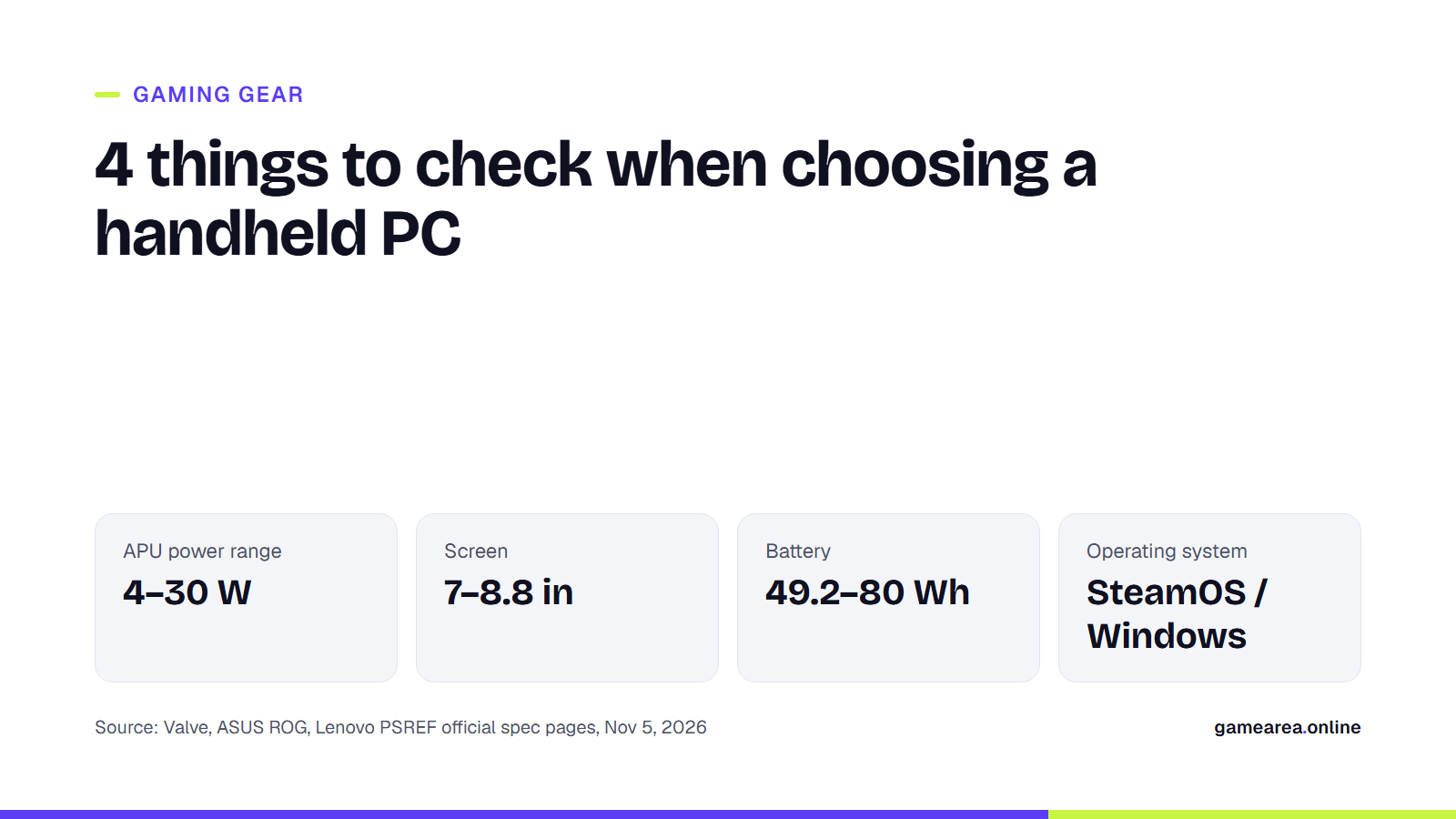
When you buy a handheld console or handheld PC, the processor name on the box is only half the story; the screen, battery, operating system and weight decide the differences you will feel every day. This guide explains what to look for using data from the official tech spec pages of Valve, ASUS, Lenovo and Nintendo.
In short
- Chips in the same class run at different power limits: Valve gives 4–15 W for the Steam Deck OLED's APU, while ASUS gives 9–30 W for the ROG Ally X.
- A higher resolution on a small screen isn't free; choosing between 1280×800 and 2560×1600 is a trade-off against frame rate and battery life.
- Battery life figures are manufacturer estimates: Valve says 3–12 hours, Nintendo 2–6.5 hours; the only runtime Lenovo gives for the Legion Go S is for video playback.
- On SteamOS, whether a game runs depends on Proton support, and in competitive online games on the developer enabling anti-cheat support.
What is the difference between a handheld PC and a handheld console?
The Nintendo Switch 2 is a closed platform: it ships with Nintendo's own system, its processor is, in Nintendo's words, a custom chip made by NVIDIA, and the amount of RAM is not listed on the tech specs page. Its game card slot takes cards for both the Switch 2 and the original Switch.
The Steam Deck, the ROG Ally X and the Legion Go family are computers that fit in your hands. They all use an APU that combines an AMD processor and graphics unit in a single package, they run PC games and they can switch to a desktop mode. Your Steam library may be large, but you should know that not every game in it will run equally smoothly on these devices.
Why do the APU and its power limit matter so much?
For the Steam Deck OLED, Valve lists a 6 nm APU with a 4-core/8-thread Zen 2 processor and 8 RDNA 2 compute units; the APU's power range is 4–15 W. The ASUS ROG Ally X has a Zen 4-based Ryzen Z1 Extreme with 8 cores/16 threads and 12 RDNA 3 compute units; ASUS gives a TDP of 9–30 W for it. Lenovo's spec sheet also shows a Ryzen Z1 Extreme in the 8APU1 version of the Legion Go S, but does not state its power range.
The lesson here: even when the chip has the same name, the power and cooling the device maker gives it change the result in games. More power generally means more frames, but also shorter battery life and more heat. The TFLOPS figures manufacturers quote also belong to different architectures, so they shouldn't be read on their own as a performance ranking.
What should you look for in the screen: resolution, refresh rate, OLED or LCD?
The Steam Deck OLED uses a 7.4-inch, 1280×800 HDR OLED panel with a refresh rate of up to 90 Hz; Valve quotes 1,000 nits peak brightness in HDR and 600 nits in SDR. The ROG Ally X offers a 7-inch, 1920×1080, 120 Hz IPS-level LCD with AMD FreeSync Premium support. The Legion Go S comes with an 8-inch, 1920×1200 IPS panel with 48–120 Hz VRR, and the original Legion Go with an 8.8-inch, 2560×1600, 144 Hz IPS screen. On the Switch 2 side there is a 7.9-inch, 1080p LCD with HDR10 and VRR up to 120 Hz.
OLED's advantage is contrast: Valve quotes a ratio of more than 1,000,000:1. A higher resolution adds sharpness on a small screen but puts more load on the graphics unit; in practice you may need to choose a lower rendering resolution in games. Variable refresh rate (VRR) reduces tearing when the frame rate fluctuates. We explain Hz, VRR and HDR in more detail in our gaming monitor guide.
Does battery capacity tell you the real playtime?
The right unit for comparing capacity is the watt-hour (Wh). The Steam Deck OLED has a 50 Wh battery, the ROG Ally X 80 Wh, the Legion Go S 55.5 Wh and the original Legion Go 49.2 Wh. Nintendo gives 5,220 mAh for the Switch 2 rather than a Wh figure, which makes a direct comparison difficult.
On runtime, the manufacturers' wording needs care. Valve gives 3 to 12 hours of gameplay for the Steam Deck OLED. Nintendo says about 2–6.5 hours for the Switch 2 and notes that these are rough estimates that will vary with the game you play. The 14.5 hours Lenovo gives for the Legion Go S comes from a 1080p video playback test at 150 nits brightness, not gameplay. ASUS's spec page gives no gameplay time for the Ally X. For charging, the Steam Deck comes with a 45 W USB-C adapter, and the Ally X and Legion Go S with 65 W ones.
SteamOS or Windows?
The Steam Deck ships with the Arch-based SteamOS 3 and the KDE Plasma desktop. The ROG Ally X runs Windows 11 Home. According to Lenovo's spec sheet, the Legion Go S is offered with both Windows 11 Home and SteamOS.
On SteamOS, Windows games run through the Proton compatibility layer. Valve reviews each game for the Steam Deck and puts it into one of four groups: Verified (works great out of the box), Playable (may need some manual tweaking), Unsupported (doesn't work) and Unknown (not reviewed yet). One of the requirements for Verified is that the game and the middleware it uses, anti-cheat included, are supported on Proton. According to Valve's developer documentation, Proton supports Easy Anti-Cheat and BattlEye, but the developer has to enable that support separately for each game. So the safest approach before buying is to check the compatibility label on Steam for the games you play regularly. Windows devices don't have this layer; you can install games from different stores directly.
Weight, controls and docking: which details make a difference?
Valve lists the Steam Deck OLED at about 640 g, ASUS the Ally X at 678 g and Lenovo the Legion Go S at about 740 g. The original Legion Go's screen unit weighs under 640 g, and under 854 g with the controllers attached; because the controllers detach, you can also stand it on a table and play. The Switch 2 weighs about 1.18 lb (about 535 g) with the Joy-Con 2 controllers attached.
The controls differ from device to device. The Steam Deck has two 32.5 mm square trackpads, four back buttons, capacitive sticks and a gyro. The Ally X has Hall effect triggers, two back buttons and a gyro. The Legion Go S has a small touchpad and switches that adjust trigger travel. We explain what Hall effect and back buttons are for in our game controller guide.
If you want to connect the device to a TV or monitor, look at the ports. The Steam Deck OLED's USB-C port supports up to 4K 120 Hz over DisplayPort output; Valve's official Dock adds DisplayPort 1.4, HDMI 2.0, three USB-A ports and gigabit Ethernet. The Ally X has one USB4 port and the Legion Go S two. The Switch 2 outputs up to 4K at 60 fps in TV mode.
| Device | APU | Screen | Battery | RAM / storage | Weight | Operating system |
|---|---|---|---|---|---|---|
| Steam Deck OLED | AMD, Zen 2 4C/8T, 8 RDNA 2 CUs, 4–15 W | 7.4" OLED, 1280×800, up to 90 Hz | 50 Wh (3–12 hours) | 16 GB LPDDR5; 512 GB / 1 TB + microSD | ~640 g | SteamOS 3 |
| ASUS ROG Ally X | Ryzen Z1 Extreme, 12 RDNA 3 CUs, 9–30 W | 7" IPS-level, 1920×1080, 120 Hz, FreeSync Premium | 80 Wh (gameplay time not stated on the page) | 24 GB LPDDR5; 1 TB + microSD | 678 g | Windows 11 Home |
| Lenovo Legion Go S (8APU1) | Ryzen Z1 Extreme (power range not stated on the page) | 8" IPS, 1920×1200, 48–120 Hz VRR | 55.5 Wh (gameplay time not stated on the page) | 16 / 32 GB LPDDR5X; 512 GB / 1 TB + microSD | ~740 g | Windows 11 Home or SteamOS |
| Lenovo Legion Go (8APU1) | Ryzen Z1 / Z1 Extreme | 8.8" IPS, 2560×1600, 144 Hz | 49.2 Wh | 16 GB LPDDR5X; 256 GB – 1 TB | < 854 g (with controllers) | Windows 11 |
| Nintendo Switch 2 (reference) | Custom NVIDIA processor | 7.9" LCD, 1920×1080, HDR10, VRR up to 120 Hz | 5,220 mAh (2–6.5 hours) | RAM not announced; 256 GB + microSD Express | ~535 g (with Joy-Con 2) | Nintendo system |
| Source: official tech spec pages from Valve (steamdeck.com), ASUS ROG, Lenovo PSREF and Nintendo, Nov 5, 2026. Prices are not included because they don't appear on these pages. | ||||||
Frequently asked questions
Does every Steam game run on the Steam Deck?
No. Valve labels games as Verified, Playable, Unsupported or Unknown. Online games that use anti-cheat need the developer to have enabled Proton support; you can check the label on the game's Steam page.
Which one has the longest battery life?
On paper, the biggest battery is the ROG Ally X's at 80 Wh. But because ASUS and Lenovo don't publish gameplay times, a definitive ranking based on manufacturer figures isn't possible; runtime varies a lot with the game and the power mode you choose.
Can I upgrade the RAM or storage later?
Not the RAM: Lenovo states plainly that the Legion Go S's memory is soldered and not upgradable, and Valve and ASUS also list the memory as on-board. The easy way to expand storage is the microSD slot; the Switch 2 only accepts microSD Express cards.
How much do these devices cost?
Prices don't appear on the official tech spec pages we reviewed; check the current price in the manufacturer's store or with an authorized retailer.
Sources
- Valve — Steam Deck OLED :: Tech Specs Official source
- Valve — Steam Deck Dock :: Tech Specs Official source
- Valve — Steam Deck :: Deck Verified Official source
- Valve — Steamworks Documentation: Proton (Anti-Cheat Support) Official source
- ASUS ROG — ROG Ally X (2024) RC72LA Tech Specs Official source
- Lenovo — Legion Go S 8APU1 — PSREF Official source
- Lenovo — Legion Go 8APU1 — PSREF Official source
- Nintendo — Nintendo Switch 2 Tech Specs Official source
How this content was prepared
Prepared with AI assistance from the sources listed, key facts checked against official sources, not copied verbatim. Our AI principles
GAMEAREA Editörlüğü